
Use a multi-client safety meeting management platform, such as My Safety Solution, to centralize portfolio visibility, attendance capture, and audit-ready compliance records across every account you manage. Consolidating client operations into one system eliminates the patchwork of spreadsheets, email threads, and paper sign-in sheets that eats into billable hours. The next move is straightforward: compare candidates against a short feature checklist, starting with whether the platform offers a true multi-client dashboard and built-in attendance capture.
TL;DR:
- A multi-client safety management platform must include a centralized dashboard, real-time alerts, and built-in attendance capture to streamline compliance across multiple accounts.
- Standardized onboarding processes with hierarchically structured accounts and automated workflows are essential for scaling without inconsistencies or additional headcount.
- Consistent safety meeting workflows should incorporate a clear agenda, action item assignment, and automated reminders to improve participation and compliance documentation.
- An audit-ready record requires verified signatures, timestamps, linked documents, and activity logs, with staged expiration alerts to prevent lapses during audits.
- Vendors should offer transparent pricing for multi-client management, API access, and support levels, so costs stay predictable as the portfolio grows.
Table of Contents
- What Features Does Safety Consultant Client Management Software Need?
- How Do You Onboard Multiple Clients Without Losing Consistency?
- What Does a Consistent Safety Meeting Workflow Look Like?
- How Do You Keep Every Client Audit-Ready?
- What Should You Ask Before Buying Multi-Client Software?
- A Consultant’s View on What Actually Works
- Try My Safety Solution for Multi-Client Compliance Management
- Sources
- FAQ
What Features Does Safety Consultant Client Management Software Need?
Safety consultant client management works only if the software mirrors how consultants actually operate: one person, dozens of sites, hundreds of moving compliance deadlines. A platform built for a single facility’s safety manager will not scale to a portfolio, no matter how polished its interface looks.
Here is the feature set worth insisting on before you sign a contract:
- Multi-client dashboard with filters, priority flags, and real-time alerts across every account, not just the one you last logged into.
- Per-client and per-site drill-downs showing documents, upcoming meetings, and compliance status without switching platforms.
- Attendance capture through e-signature, QR code check-in, and timestamps tied directly to each meeting record.
- Scheduling and calendar sync, along with topic distribution and automated reminders so clients never miss a session.
- Document and expiration tracking with cascading alerts and a permanent activity log for every renewal event.
- Role-based permissions, including free client-limited accounts so site supervisors can view records without full administrative access.
- Mobile-first design with offline capability, since most safety meetings happen in the field, not at a desk.
- Prebuilt and customizable meeting templates, ideally backed by a ready-made topic library to keep content relevant without manual drafting.
- Exportable, audit-ready reports in PDF or XLSX format, backed by activity logs that document every change.
Pro Tip: Test the mobile app in airplane mode before you commit. If attendance data doesn’t sync once you reconnect, that gap will show up during an audit, not during your trial.
Platforms lacking even one of these pieces tend to create more administrative work than they save, because you end up bridging the missing function with a spreadsheet anyway.
How Do You Onboard Multiple Clients Without Losing Consistency?
Scaling a consulting practice past a handful of clients exposes every weakness in a manual process. Spreadsheet-based systems break down once portfolio size grows, because nothing forces consistency between one client’s folder structure and the next. A repeatable onboarding process solves that before it becomes a problem.
- Build one onboarding checklist per client type (construction, manufacturing, warehousing) and apply it by default rather than improvising for each new account.
- Structure accounts hierarchically: portfolio at the top, then client, then site or project, then individual records. This mirrors how auditors expect to see documentation organized.
- Automate document checklists and alert schedules at the moment of onboarding, so expiration tracking starts on day one instead of after the first missed renewal.
- Tag exceptions instead of rebuilding templates. If one client needs a different inspection cadence, flag it as an exception rather than forking the entire workflow.
- Use bulk import tools and default permission roles to cut manual data entry, especially when bringing on a client with dozens of existing employees.
- Document your own onboarding process so any new hire, or any new client, can be configured in under an hour using the same steps every time.
Standardizing this sequence is the single biggest lever for growing a consulting practice without adding headcount, since it removes the guesswork that normally comes with each new account.
What Does a Consistent Safety Meeting Workflow Look Like?
Meetings are where compliance either gets documented or quietly falls apart. A seven-section agenda structure works well across most industries: location and time, attendee list, incident reports, ongoing issues, new equipment or policy updates, a safety moment, and a plan for the next meeting.
Attendance capture matters as much as the agenda itself. The most defensible combination pairs e-signatures or QR code check-in with supervisor confirmation and an automatic timestamp. Clarifying who must attend versus who is optional before the meeting starts also makes the attendance record meaningful instead of just a formality.
- Assign action items during the meeting itself, with a named owner and a due date, rather than promising to “follow up later.”
- Link meeting minutes directly to the client’s compliance files so an auditor can trace a document without a separate request.
- Automate reminders for open action items and for employees who missed the session.
Pro Tip: Keep the agenda to one page. Meetings with visible, trackable action items see higher participation than open-ended safety discussions, and shorter agendas mean less time spent typing up minutes afterward.
How Do You Keep Every Client Audit-Ready?
An audit-ready record has four components: an identity-verified signature, a timestamp, a linked source document, and an activity log showing who touched the record and when. Miss any one of those, and the record becomes a liability instead of proof of compliance.
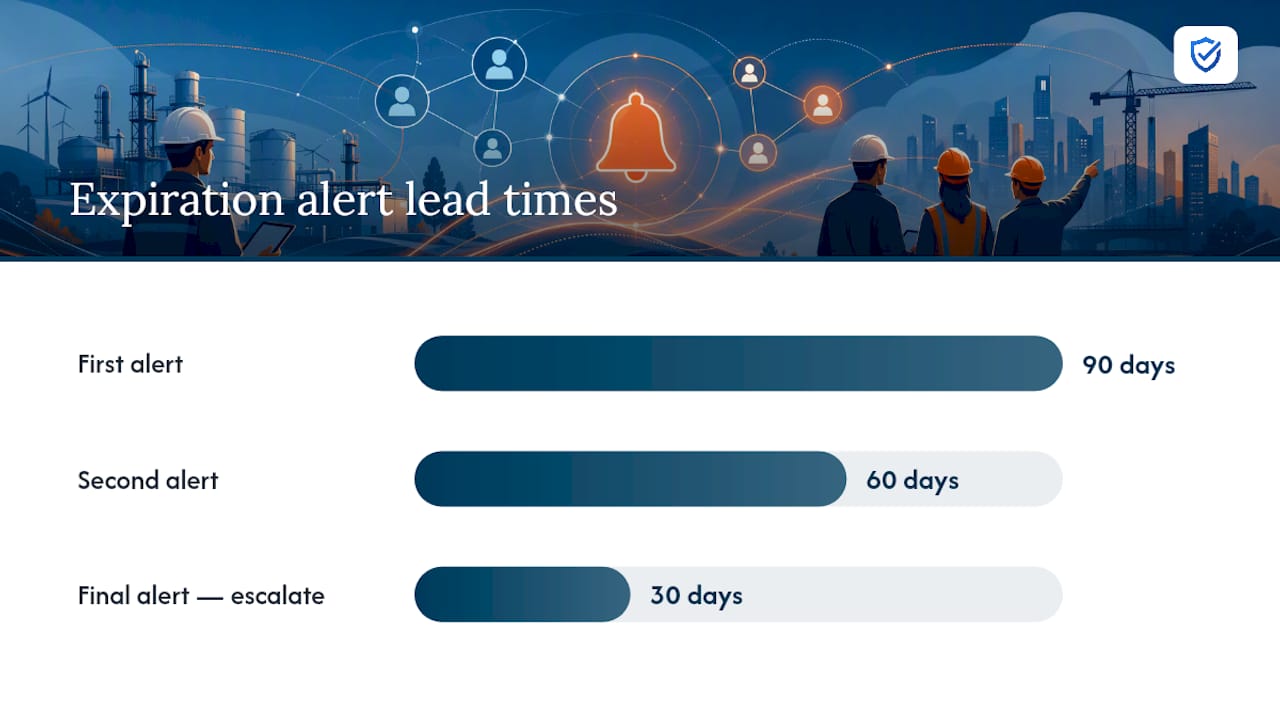
Expiration workflows need staged alerts, typically at 90, 60, and 30 days before a document lapses, with escalation to a supervisor if nothing changes at the final threshold. Five structural elements tend to separate consultants who pass audits smoothly from those who scramble: a centralized platform, location-level compliance scoring, role-based access, standardized processes, and automated cross-location alerts.
Reporting should come in layered formats:
- A portfolio snapshot showing every client’s compliance status at a glance.
- A client roll-up summarizing one account’s sites and open items.
- Site-level detail for the auditor who wants to see a specific record.
Activity logs and document versioning matter more than most consultants realize, since they establish chain-of-custody when a client is enrolled in several contractor prequalification programs at the same time.
What Should You Ask Before Buying Multi-Client Software?
Pricing structure affects your margin more than most consultants budget for upfront. Per-employee pricing tracks the size of the workforce you actually cover; per-site pricing can add up when a client has many small locations; flat pricing can hide features behind higher tiers. Whatever the model, confirm that every feature is included at every level.
Before signing anything, ask vendors these questions:
- Do you offer free or low-cost client-limited subaccounts, or does every client seat cost extra?
- What is the realistic onboarding timeline, and how does that weigh against the administrative hours you’ll save long-term?
- Is there API access for data portability if you eventually switch platforms?
- What uptime and support SLA applies to your account tier?
- Can the platform scale from five clients to fifty without a pricing cliff or a feature wall?
A vendor unwilling to answer those five questions clearly is telling you something about what happens after the contract is signed.
A Consultant’s View on What Actually Works
Most of the time saved from multi-client platforms doesn’t come from any single feature. It comes from no longer re-explaining your own filing system to yourself every Monday morning. The audit stress drops for the same reason: when every client follows the same structure, you stop wondering whether last quarter’s renewal got documented somewhere.
The mistake I see most often is over-customization. Consultants build a slightly different template for each client because that client “asked for it,” and within a year they’re maintaining twenty variations of the same checklist. Standardize hard, and treat exceptions as flags, not forks. Pilot any new platform with three or four clients first. Iron out the workflow before you roll it out to forty.
“Safety consultants need to deliver top-tier compliance across multiple client rosters without doubling their hours. MySafetySolution provides a purpose-built multi-client management portal that simplifies reporting and client oversight.”
— Matthew Hoffman, President - MySafetySolution
Try My Safety Solution for Multi-Client Compliance Management
This platform is built around the workflow this article describes: multi-company management that keeps every client’s records in one place, attendance capture with e-signatures and timestamps, and a library of 2,500+ talks across 22 industries and 262 trades that fits safety content to each client’s industry without manual drafting from scratch.

It is mobile-enabled for field use, and its talks are built on Cal/OSHA Title 8 and federal OSHA 29 CFR, so meeting topics start from the regulations without extra research. Onboarding walks through account setup, then scales from there using the same structure. Training records can be searched, filtered by standard, and exported as PDF with a sign-off page. If your current process still runs through spreadsheets and email attachments, comparing that against a purpose-built safety meeting platform is worth an afternoon. Start your 15-day free trial to see how your own client portfolio looks inside a single account.
Sources
For agenda structure and attendance best practices, see the safety meeting agenda guide listed below. For meeting documentation and note-tagging workflows, review how top consultants manage client documentation. My Safety Solution’s own construction meeting topic guide and document control resource offer additional operational detail.
FAQ
What Is Safety Consultant Client Management Software?
It refers to platforms that let consultants oversee multiple client accounts from one dashboard, tracking attendance, compliance documents, and meeting records for each account without switching systems. My Safety Solution offers this through multi-company management for consultants and agencies.
How Many Clients Can One Consultant Realistically Manage With Software?
There’s no fixed ceiling, but the practical limit depends on how standardized your onboarding process is. Consultants using automated checklists and alert schedules scale well past what spreadsheets can handle.
Does Multi-Client Software Replace In-Person Safety Meetings?
No. It documents and schedules in-person or virtual meetings, capturing attendance and generating records, but the meetings themselves still need to happen with the crew.
What Makes a Compliance Record Audit-Ready?
An audit-ready record includes an identity-verified signature, a timestamp, a linked source document, and an activity log showing who accessed or modified it.
Is Mobile Access Necessary for Field Safety Meetings?
Yes. Most safety meetings happen on job sites without reliable desk access, so a platform where crews sign on their own phones by QR code or link, like My Safety Solution, keeps attendance data from getting lost between the field and the office.