Yes: electronic signatures and digital attendance systems can document training attendance when the records include a verifiable attendee identity, a training date, and an auditable timestamp. OSHA has accepted e-signature attendance since at least 2000, and its guidance treats the format as secondary to whether the record proves who attended and when. Check for three things immediately: a timestamp, an attendee identifier, and a certification field showing who confirmed the training occurred.
TL;DR:
- Electronic attendance records must include a verifiable attendee identity, a training date, and a timestamp to meet OSHA requirements.
- Metadata such as device logins, email links, or badge scans, is crucial for proving attendance beyond just capturing signatures or names.
- OSHA guidance from 2000 permits electronic signatures and certification, but printed post records like OSHA Form 300-A are still legally required for posting.
- Combining digital check-ins with occasional supervisor headcounts effectively mitigates buddy punching and enhances record integrity.
- Maintaining organized, role-restricted, and regularly audited digital records ensures compliance and simplifies inspection readiness.
Table of Contents
- How Electronic Signatures and Digital Attendance Records Actually Work
- OSHA Interpretations on Electronic Attendance and What They Mean for You
- Choosing an Attendance Method: Trade-Offs Worth Knowing
- Making Attendance Records Audit-Ready
- How My Safety Solution Handles Attendance and Recordkeeping
- Where to Verify This Guidance Yourself
- Why Most Compliance Advice Undersells the Real Risk
- Get Audit-Ready Attendance Records Without the Manual Paperwork
- Sources
How Electronic Signatures and Digital Attendance Records Actually Work
An e-signature attendance record is only as strong as the metadata behind it. The signature itself, whether it’s a scrawled name or a typed one, is just the visible layer. What auditors actually rely on is what the system captured underneath it.
Most workplaces use one or more of these capture methods:
- On-screen handwritten capture: a worker signs with a finger or stylus on a tablet or signature pad, similar to signing for a package delivery.
- Typed acceptance: the attendee types their name and clicks “I confirm attendance,” common in web-based training modules.
- Emailed signature link: a unique link sent to each attendee’s inbox, which they click and confirm, tying the signature to a verified email account.
- Badge swipe or ID scan: physical credentials linked to an employee record, often used at plant entrances or job-site trailers.
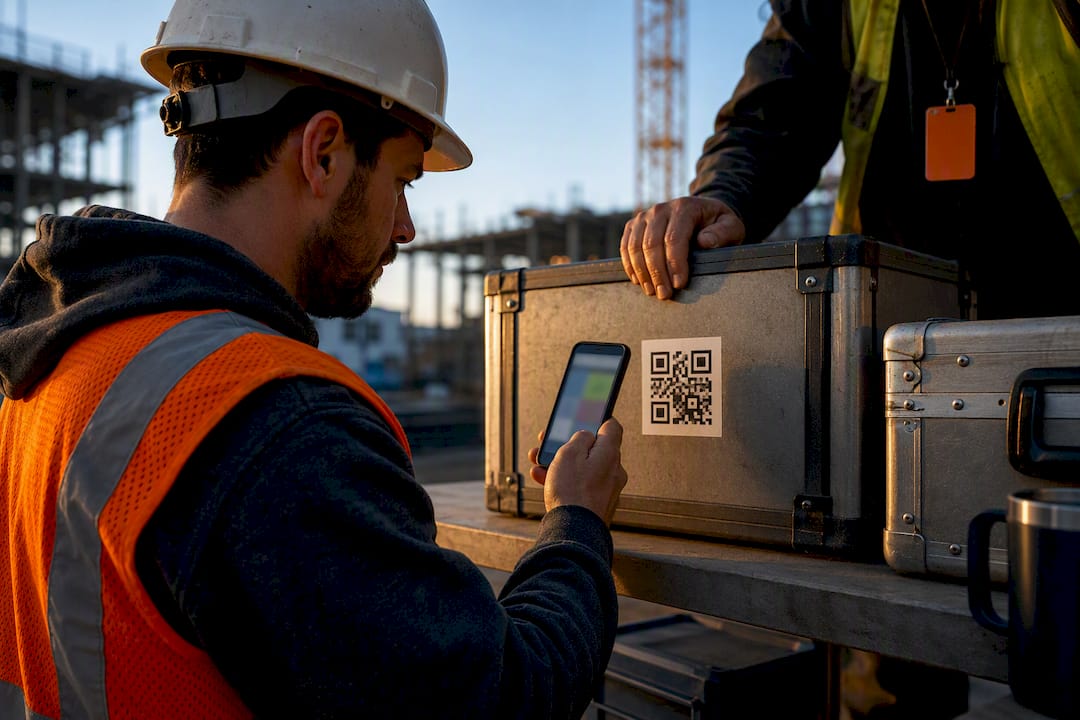
- QR-code check-in: attendees scan a code with their phone, which logs the device and often the timestamp automatically.
Each method captures different metadata. A signature pad typically logs a timestamp and device ID. A badge swipe adds an account ID tied to HR records. QR check-in can add geolocation if the app requests it. None of these become a valid attendance signature on their own, though. There’s a difference between capturing who was present and certifying that training occurred. The second part is a distinct step, usually handled by a trainer or supervisor confirming the session’s content and completion, and it’s the piece OSHA cares about most.
OSHA Interpretations on Electronic Attendance and What They Mean for You
OSHA has never required a specific signature format for training records. What it requires is that the record contains the necessary information and can be produced during an inspection. In Electronic Certification of Training, OSHA confirmed electronic certification is permissible as long as the record includes attendee name, training date, and confirmation that the training took place. Employee signatures aren’t always the mandatory element. Employer or trainer certification usually is.
That position isn’t new. Back in 2000, OSHA addressed the question directly with hardware that predates most of today’s software by two decades.
OSHA accepted electronic signature pads for training certification over two decades ago. In a 2000 letter of interpretation, the agency confirmed that a signature pad satisfies certification requirements for training records, provided the employer/trainer certification element is present.
One area where the electronic record doesn’t fully replace paper: OSHA Form 300-A. The agency has clarified that electronic certification is acceptable for the Annual Summary, but the posting requirement still applies. If you certify Form 300-A electronically, you still need to print it and post it in the workplace where employees can see it. Digital convenience doesn’t erase a physical posting rule.

One more wrinkle worth flagging: federal OSHA doesn’t have jurisdiction over every state or local government employer. If you manage safety for a public agency, confirm whether your state plan has its own recordkeeping rules before assuming federal guidance applies wholesale.
Choosing an Attendance Method: Trade-Offs Worth Knowing
No single signature method is right for every workforce. A tablet-based signature pad works well in a trailer or break room but stalls out on a job site with no reliable power. An emailed signature link works for office-based training but assumes every attendee checks email promptly, which isn’t always true for deskless crews.
Here’s how the common approaches stack up:
- Tablet or signature pad workflows capture a handwritten signature plus timestamp and device ID. They work well for in-person tailgate meetings but require someone to physically pass the device around.
- Emailed signature links are convenient for off-site or scheduled training but risk delayed responses and depend on accurate email lists.
- Secure web forms with login or single sign-on tie attendance directly to a verified account, which strengthens the audit trail considerably.
- Badge-swipe systems link attendance to existing HR credentials, though OSHA guidance notes the employer must be able to show the badge actually belongs to the person swiping it.
- QR-code check-in with authentication is fast for large crews but needs a secondary identity check to prevent one worker checking in for another.
That last point covers what’s often called “buddy punching,” someone signing in on behalf of a coworker who isn’t actually present. It’s the single biggest threat to attendance record credibility, and it’s rarely caught until an incident triggers a records review.
Pro Tip: Pair any check-in method with a supervisor’s real-time headcount, at least occasionally. A mismatch between digital sign-ins and who’s actually standing at the meeting catches buddy punching before it becomes a pattern.
For strong evidentiary value, log the timestamp, user ID, device ID, and IP address wherever possible. That combination is what lets you reconstruct exactly who attended, from what device, and when, if a record is ever challenged.
Making Attendance Records Audit-Ready
An OSHA inspector doesn’t want a signature. They want a complete record that answers four questions without follow-up: who attended, what training, when, and who certified it happened. Keep these elements together, not scattered across separate systems:
- Attendance log with attendee names and a timestamp for each entry.
- Trainer or employer certification confirming the session occurred and covered required content.
- Course name and date, matched exactly to your training schedule.
- Curriculum reference showing what material the session covered, in case the topic itself is questioned.
Retention matters as much as capture. Most training records should be kept for the length of employment plus a defined retention window, and OSHA Form 300-A specifically requires a printed, posted certification even when the underlying record was signed electronically. Keeping a printable backup of every digital record isn’t paranoia. It’s the cheapest insurance against a laptop failure or a software migration wiping out your only copy.
A simple operational checklist keeps this manageable:
- Set a recurring export schedule (weekly or monthly) so records don’t pile up unexported.
- Use consistent file naming (date, crew, topic) so records are searchable years later.
- Restrict edit access by role, so line supervisors can view but not alter historical records.
- Run a periodic internal audit, spot-checking a handful of records against the actual training calendar.
How My Safety Solution Handles Attendance and Recordkeeping
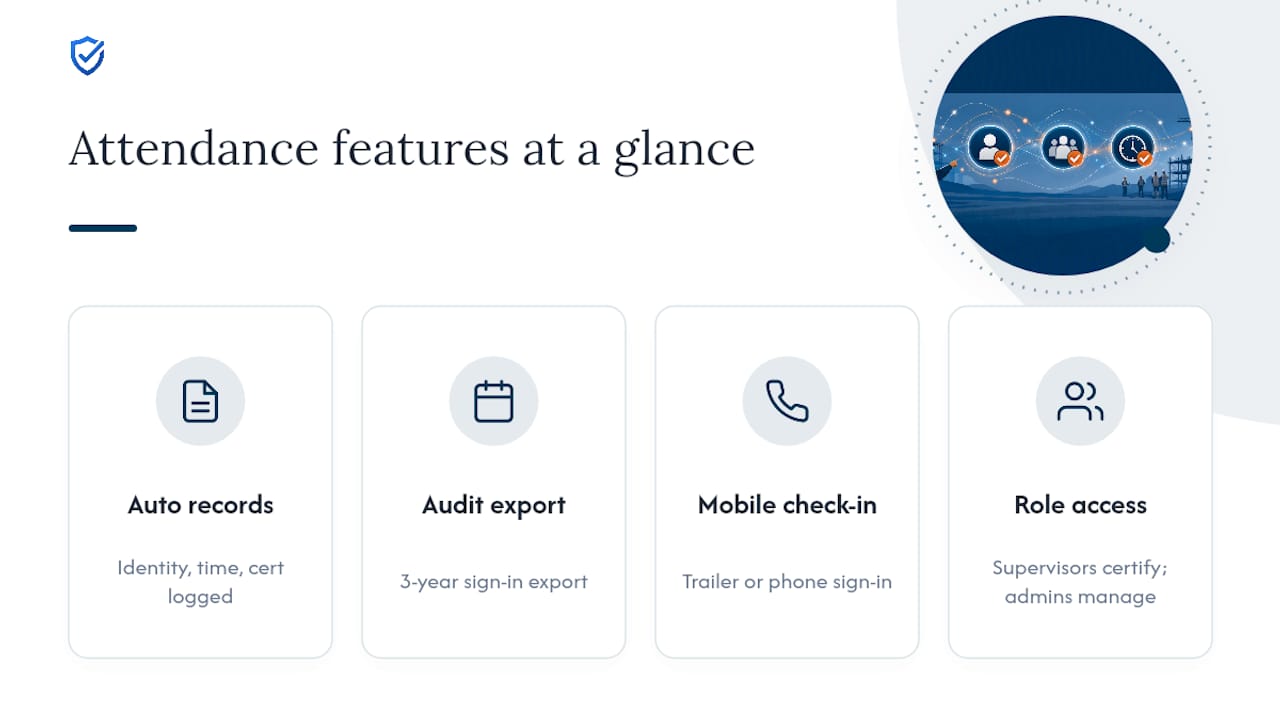
Attendance capture should include identity, date, and certification, all timestamped and stored where they can be pulled up on demand. Mobile-enabled sign-in and QR-code check-in fit crews who move between job sites and rarely sit at a desk. Ideally, every entry logs a timestamp automatically, and sign-in sheets stay retained and audit-ready for a multi-year retention period matching typical safety team plans.
A typical tailgate meeting workflow looks like this: the supervisor opens the session in the app, workers check in by scanning a QR code or signing on a mobile device, and the system timestamps each entry. The supervisor certifies the topic covered, and the completed record, attendance, timestamp, and certification together, exports as a single packet.
For a safety manager juggling multiple crews, that means less time reconstructing sign-in sheets after the fact and a consistent audit trail across every site, ready to hand over the moment an inspector asks for it.
Where to Verify This Guidance Yourself
The core legal grounding here comes directly from OSHA’s own letters of interpretation: the 2014 letter on electronic certification, the 2000 letter on signature pads, and the 2009 letter on Form 300-A posting. For broader safety-compliance context outside attendance specifically, industrial stair standards for safety officers are useful companion resources. My Safety Solution’s own guides on digital recordkeeping and OSHA training documentation cover implementation in more depth.
Why Most Compliance Advice Undersells the Real Risk
The conventional advice on this topic spends too much energy debating signature formats and not enough on the metadata behind them. OSHA settled the format question decades ago. Signature pads, typed confirmations, badge swipes, none of it matters much if the underlying record can’t prove identity and timing beyond dispute.
What gets overlooked is buddy punching, and how casually most safety programs treat it. A QR check-in system without any secondary verification is only marginally better than a paper sign-in sheet passed around a truck bed. Both can be filled out by one person on behalf of five. The fix isn’t more sophisticated signature capture. It’s dual verification, pairing a digital sign-in with an occasional physical headcount, and an internal policy that spells out exactly which signature types your organization accepts.
If you take one thing from this: stop treating the signature as the compliance artifact. Treat the timestamp, the identity link, and the certification as the artifact, and let the signature be whatever format gets your crew through the door fastest.
“Illegible chicken-scratch signatures on clipboards will not survive an OSHA compliance officer's challenge. MySafetySolution captures verified, timestamped electronic signatures that meet federal and state evidentiary standards.”
— Matthew Hoffman, President - MySafetySolution
Get Audit-Ready Attendance Records Without the Manual Paperwork
My Safety Solution replaces the folder of loose sign-in sheets with a system built around exactly what OSHA inspectors ask for: attendee identity, timestamp, and certification, all logged automatically instead of reconstructed after the fact.

Safety managers running crews across multiple job sites use it to standardize tailgate meeting attendance, schedule talks ranked by real OSHA injury and citation data for their trade and state, and export training records as a PDF with a sign-off page the moment an inspector calls. Construction, manufacturing, and utility teams get a mobile-friendly check-in that works whether the crew is signing in from a trailer or a phone in the field, with role-based access so supervisors certify sessions while admins manage the records behind them.
If you’re tired of chasing down paper sign-in sheets before an audit, see how My Safety Solution’s OSHA compliance software handles attendance, certification, and recordkeeping in one place, and start your 15-day free trial to test it against your next safety meeting.
This article is general information, not a substitute for advice from a qualified lawyer. Consult a qualified legal professional about your own circumstances before acting on anything here.