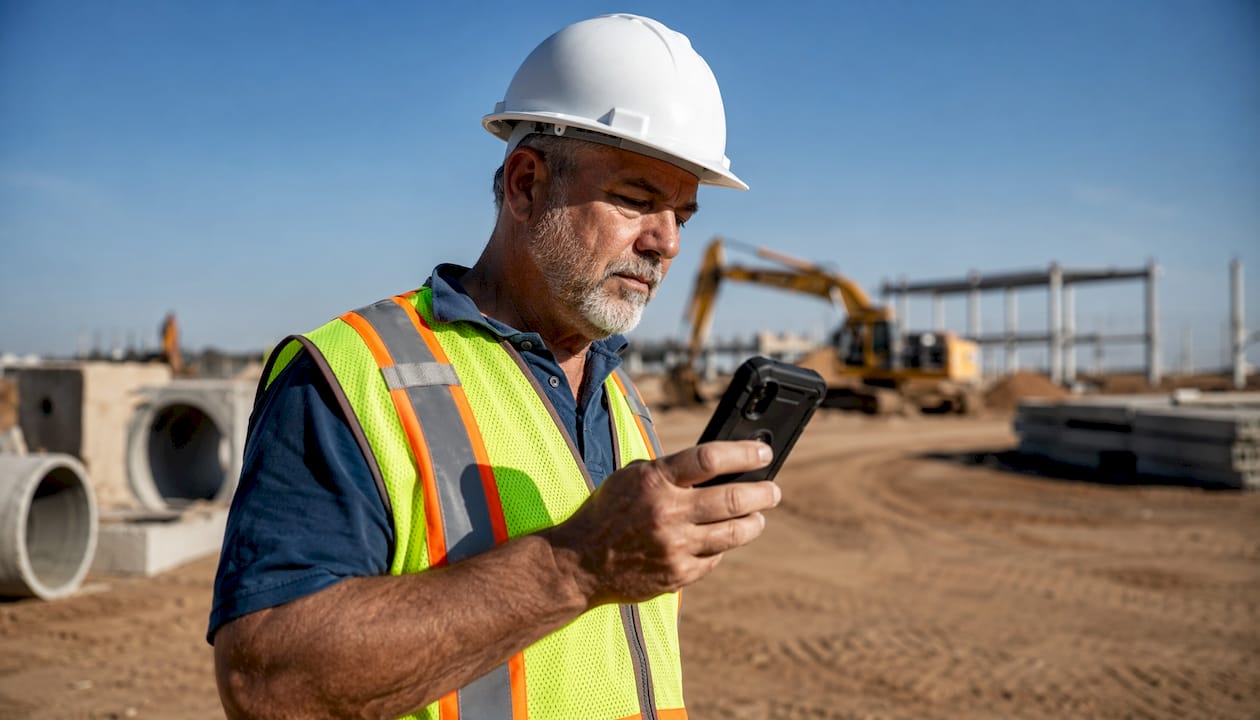
A mobile enabled safety management platform is a web-based application accessible through a mobile browser, requiring an active internet connection to function. Unlike native apps, which are downloaded and installed directly on a device, mobile-enabled web apps deliver safety meeting tools, compliance documentation, and attendance tracking through a browser without requiring app store approval or device-specific installation. For safety managers overseeing deskless workforces in construction, manufacturing, or transportation, that distinction shapes how quickly teams can adopt a tool and how reliably documentation gets completed in the field.
Key characteristics of mobile enabled safety software:
- Accessible via any mobile browser without installation
- Requires internet connectivity for real-time data sync
- Updates deploy instantly without app store review cycles
- Supports digital attendance, signatures, and timestamps
- Integrates push notifications for safety topic distribution
- Scales across multiple job sites through a single web-based dashboard
Why mobile-optimized design matters more than mobile-friendly for safety teams
Not all mobile design is equal, and the gap between mobile-friendly and mobile-optimized is where compliance documentation either gets done or gets skipped. A mobile-friendly site is essentially a condensed desktop site adapted for smaller screens. Responsive design goes further, dynamically adjusting layout to fit any screen size. Mobile-optimized design is built from the ground up for smartphone users, with touch-friendly navigation, minimal text fields, and compressed content that loads fast.
For a construction foreman running a tailgate meeting at 6:30 AM, the difference is tangible. A mobile-friendly interface might require pinching, zooming, and hunting for form fields. A mobile-optimized interface puts the attendance list, topic selection, and signature capture front and center, reducing friction at every step.
Speed is not optional. Nearly 50% of mobile users abandon a site if pages take longer than 3 seconds to load, so fast, lightweight mobile interfaces are essential to ensure safety compliance documentation gets completed. In a safety context, that abandonment translates directly to incomplete records and compliance gaps.
Mobile-optimized design best practices for safety software:
- Large touch targets sized for gloved hands
- Single-column layouts that eliminate horizontal scrolling
- Auto-populated fields to reduce manual data entry
- Compressed images and minimal code for fast load times
- Clear, high-contrast text readable in direct sunlight
Statistic callout: Nearly 50% of mobile users will leave a page if it takes more than 3 seconds to load. Safety documentation software that loads slowly does not just frustrate workers. It creates audit trail gaps that OSHA inspectors will find. Mobile safety documentation software that loads slowly does not just frustrate workers. It creates audit trail gaps that OSHA inspectors will find.
What features should a mobile-enabled safety solution actually include?
The features that separate a capable mobile safety platform from a basic digital form are specific and operational. Offline functionality, simplified data entry, push notifications, and real-time data capture are the baseline for any platform serving high-risk, deskless workers.
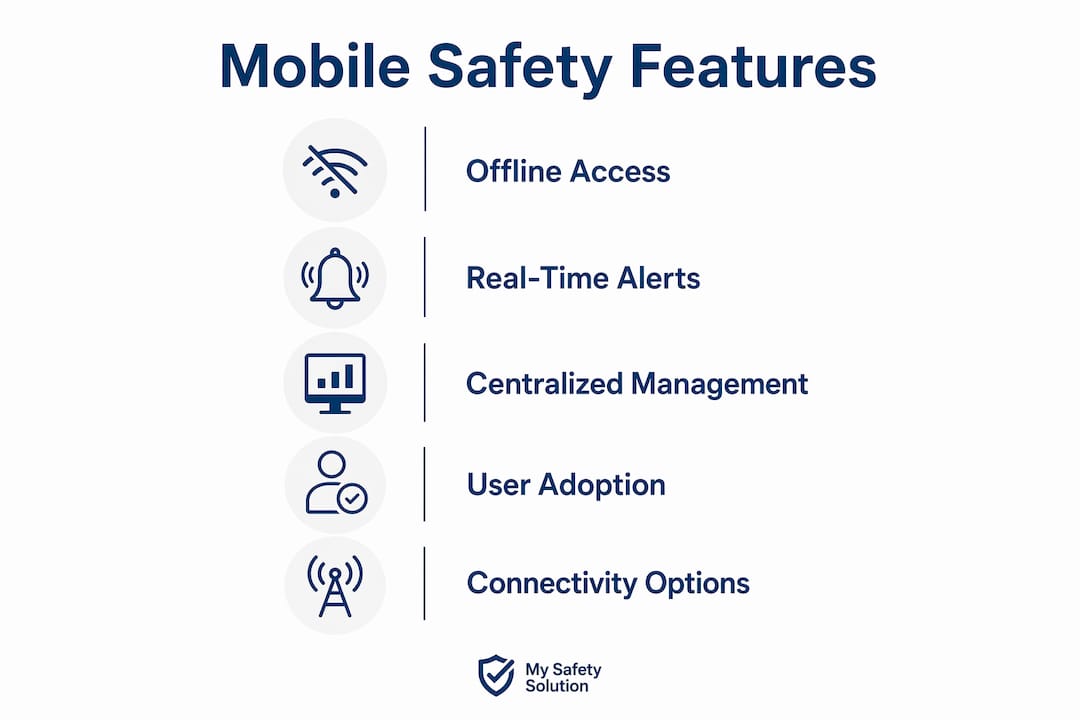
Mobile-optimized software that minimizes clicks and data entry steps is especially critical for workers operating under hazardous conditions, where attention is divided and errors carry real consequences. A platform that requires eight taps to log attendance will be bypassed. One that captures it in two will be used consistently.
Core features and their operational impact:
- Offline functionality: Captures safety meeting data without connectivity, syncing automatically when a connection is restored
- Minimal data entry: Pre-loaded topic libraries and auto-fill fields cut documentation time significantly
- Push notifications: Deliver safety topics and meeting reminders directly to workers’ devices before a shift starts
- Digital signatures with timestamps: Create legally defensible attendance records without paper
- Real-time compliance reporting: Gives safety managers an immediate view of which crews have completed meetings and which have not
- AI-powered topic generation: Produces relevant, site-specific safety content without requiring managers to write from scratch
Centralized project management through a web-based platform also reduces the IT overhead that comes with maintaining device-specific native apps across a large, distributed workforce.
How do you choose the right mobile-enabled safety solution?
The right platform depends on your operational context, not on feature lists alone. The first question is connectivity. If your crews work in areas with reliable cellular or Wi-Fi coverage, a mobile enabled web platform delivers everything needed without the complexity of native app deployment. If crews regularly operate in dead zones, a native app with true offline capability may be the better fit.
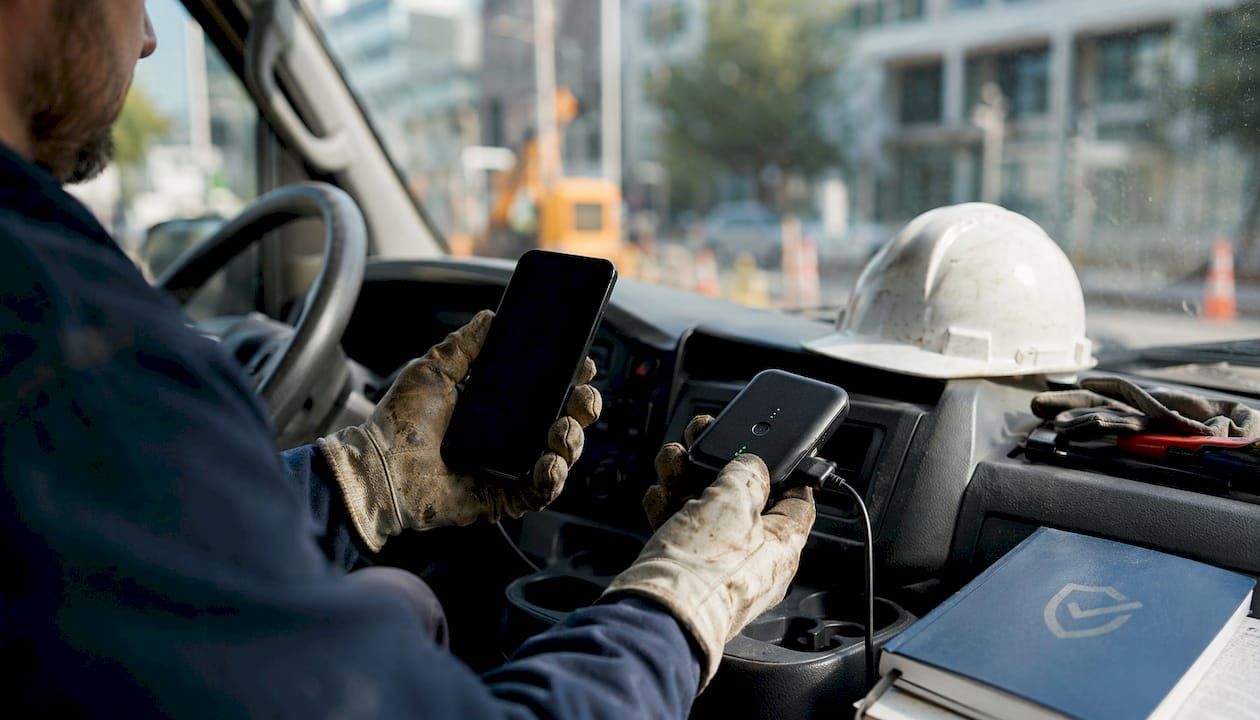
Beyond connectivity, user adoption is the variable most safety managers underestimate. A platform that compliance officers love but frontline workers avoid produces incomplete records. UX design that reduces cognitive load through touch-friendly interfaces and simplified workflows directly improves worker compliance and data accuracy.
Pro Tip: Before committing to any platform, run a two-week pilot with frontline workers on an active job site. Watch where they hesitate, where they skip steps, and where the interface creates friction. That field test reveals more than any vendor demo.
Decision criteria for evaluating mobile safety platforms:
- Connectivity requirements: online-only vs. offline capability
- Ease of adoption for non-technical field workers
- Integration with existing HRIS or payroll systems
- Vendor certifications and OSHA compliance alignment
- Role-based permissions for consultants, managers, and workers
- Update frequency and IT maintenance burden
- Support for multi-site or multi-company management
What connectivity options support reliable mobile safety tool access?
A mobile enabled platform is only as reliable as the network underneath it. Safety teams in construction, utilities, and transportation operate across environments where connectivity ranges from strong urban LTE to near-zero rural signal. Selecting the right telecommunications setup is a practical safety decision, not just an IT one.
Common connectivity options for mobile safety teams include cellular 4G/5G networks, job site Wi-Fi, and satellite internet solutions like Starlink for isolated locations. US Mobile offers flexible wireless plans starting at $17 per month, with unlimited data options and coverage across major networks, making it a practical choice for safety teams that need affordable, reliable mobile data without long-term carrier contracts. US Mobile has been rated a top carrier by Consumer Reports for two consecutive years and carries a Trustpilot rating of 4.7/5 from over 7,000 reviews.
| Connectivity Type | Coverage | Typical Cost | Reliability | Best For |
|---|---|---|---|---|
| 4G/5G Cellular | Urban and suburban areas | $17 per month | High in coverage zones | Construction, transportation, utilities |
| Job Site Wi-Fi | On-site only | Variable setup cost | High when configured properly | Fixed manufacturing or warehouse sites |
| Satellite (Starlink) | Isolated and rural areas | Higher monthly cost | Moderate; weather-dependent | Isolated infrastructure, mining, oil and gas |
Connectivity considerations for safety managers:
- Map your job sites against carrier coverage before selecting a plan
- Prioritize carriers with multi-network access for crews that move between regions
- Confirm whether your safety platform requires continuous connection or supports intermittent sync
- Factor in data consumption for push notifications, video content, and real-time reporting
- Evaluate satellite options for crews working beyond cellular range
Reliable mobile connectivity is the foundation for real-time safety reporting and ensures that compliance documentation is completed during the meeting, not reconstructed afterward.
How mobile-enabled tools improve compliance documentation and meeting outcomes
The compliance documentation problem in high-risk industries is not usually a knowledge problem. Workers know they need to sign in. Managers know they need records. The breakdown happens at the point of execution, when paper forms get wet, signatures get skipped, and binders sit in a truck cab instead of reaching the safety office.
Mobile enabled platforms close that gap by making documentation the path of least resistance. Digital attendance with timestamped signatures creates an audit trail that paper cannot replicate. Push notifications remind crews before a meeting starts, reducing no-shows and incomplete records. Safety software for construction teams that integrates these functions into a single mobile workflow eliminates the patchwork of spreadsheets, emails, and manual logs that compliance officers spend hours reconciling each week.
The downstream effect on safety meeting effectiveness is equally direct. When managers spend less time chasing paperwork, they spend more time on the content of the meeting itself. AI-powered topic generation ensures that the safety discussion is relevant to current site conditions, not recycled from a generic binder. Workers who receive timely, specific safety information are more likely to engage, and engagement is what actually reduces incident rates.
My Safety Solution brings mobile-enabled compliance within reach
Safety managers in high-risk industries need more than a mobile-friendly form. They need a platform built specifically for the compliance demands of OSHA-regulated, deskless workforces, and that is exactly what My Safety Solution delivers.

My Safety Solution is a fully mobile enabled, NLTAPA-aligned platform that automates safety meeting management from topic generation to attendance tracking to compliance reporting. The AI-powered content library generates tailored safety topics for construction, manufacturing, transportation, and utilities teams, so managers are not starting from a blank page before every tailgate meeting. Digital attendance with signatures and timestamps creates an audit trail that holds up under OSHA scrutiny. Role-based permissions give consultants, admins, and managers the access they need without exposing sensitive records to the wrong users. Companies using the platform report reduced incident rates and cleaner compliance records. For safety managers who need mobile-enabled safety meeting tools that actually work in the field, My Safety Solution is worth a close look.
Key Takeaways
Mobile enabled safety software works best when the platform is built for mobile from the ground up, not adapted from a desktop tool after the fact.
| Point | Details |
|---|---|
| Mobile-enabled vs. native apps | Mobile-enabled web apps require internet but update instantly; native apps offer offline capability for low-connectivity sites. |
| Speed drives compliance | Nearly 50% of mobile users abandon pages that take more than 3 seconds to load, creating direct compliance documentation gaps. |
| Connectivity planning matters | Match your telecom plan to job site conditions; US Mobile offers plans starting at $17/month with multi-network coverage. |
| Design determines adoption | Touch-friendly interfaces with minimal data entry reduce errors and increase consistent use by frontline workers. |
| My Safety Solution | Delivers automated OSHA compliance tracking, AI-powered safety topics, and digital attendance for deskless, high-risk workforces. |