
A safety training calendar is the internal system that schedules recurring toolbox talks and required retraining, captures who actually attended, and stores that proof in a format an inspector will accept. The strongest versions tie scheduling directly to authenticated attendance and audit-ready recordkeeping, matching the record-retention expectations laid out in OSHA 1926.1207. For high-risk, deskless workforces, that usually means automating three things at once:
- Scheduling by role and hazard exposure, not a single company-wide date
- Attendance capture that survives a proxy sign-in challenge
- Exportable records tied to each employee, not scattered across job sites
My Safety Solution builds this workflow specifically for construction, manufacturing, and utility crews, which makes it a practical starting point if you’re assembling one from scratch.
Key Takeaways
An audit-ready safety training calendar works because it ties scheduling, authenticated attendance, and exportable records into one system instead of three disconnected habits.
| Point | Details |
|---|---|
| Capture the OSHA minimum fields | Every record needs employee ID, topic, date, and trainer or platform per 1926.1207. |
| Map cadence to hazard, not the calendar | Toolbox talks, quarterly refreshers, and annual certifications each need their own trigger. |
| Kill proxy sign-ins with layered proof | QR codes, geofencing, and timestamped e-signatures create evidence that’s hard to fake. |
| Map roles before automating | Auto-enrollment only works once every role is matched to its required trainings. |
| My Safety Solution runs the workflow | Role-based auto-enrollment, mobile attendance capture, and audit-ready exports built for deskless crews. |
Table of Contents
- What Goes Into an OSHA-Ready Training Record?
- How Do You Set a Recurring Training Schedule?
- Which Attendance Methods Actually Hold Up in an Audit?
- Can Automation Actually Reduce Missed Training?
- What Should an Audit-Ready Records Packet Include?
- How Do You Roll Out a New Calendar Without Disrupting Work?
- Why Operationalizing the Calendar Changes Safety Culture
- Put the Calendar on Autopilot With My Safety Solution
- Sources
What Goes Into an OSHA-Ready Training Record?
OSHA’s recordkeeping guidance is specific about what belongs in every training entry, and skipping a field is the fastest way to fail an audit you otherwise would have passed. Under 1926.1207, a defensible record needs four elements at minimum: the employee’s name or a unique identifier, the specific training topic, the date it happened, and the trainer or delivery platform that conducted it.
That’s the floor, not the ceiling. A record built only to that minimum still leaves gaps an inspector can poke through, especially on multilingual crews or sites running mixed classroom and hands-on training. OSHA also requires that training be delivered in a language and vocabulary employees actually understand, and that employers keep proof it happened, a standard spelled out in the agency’s training compliance policy.
Statistic Callout: Centralized, timestamped, searchable records paired with automated refresher alerts cut audit prep time and reduce the risk of missed certifications, according to Yourco’s guidance on training audit tracking. That’s the operational payoff of building the extra fields in now rather than reconstructing them later.
Fields worth adding beyond the OSHA minimum:
- Language the training was delivered in
- Worker classification or job role
- Quiz score or practical assessment result
- Session duration
- Next scheduled refresher date
Each of these closes a specific audit question. Language proves comprehension. Classification proves the right person got the right topic. Assessment scores prove competency, not just presence. The refresher date proves you have a system, not a one-time event.
How Do You Set a Recurring Training Schedule?
Cadence should follow the hazard, not the calendar quarter. A crew running heavy equipment needs different refresher timing than an office-adjacent estimator, and treating them the same either over-trains one group or under-trains the other. OSHA’s consolidated training guidance outlines common frequency triggers across construction and general industry standards, and those triggers should drive your calendar structure, not a generic annual sweep.
Build the schedule in this order:
- Map every job role to its required topics. Fall protection, lockout/tagout, confined space, hazard communication, each role gets only what it’s actually exposed to.
- Assign a cadence to each topic. Toolbox talks typically run weekly or biweekly, equipment-specific refreshers often land quarterly, and certifications like OSHA 10/30 renew annually or on a multi-year cycle depending on the standard.
- Set auto-enrollment rules tied to role and site. When a worker transfers from framing to a job requiring scaffold certification, the calendar should pick up the new requirement automatically instead of relying on someone remembering.
- Build rolling windows, not fixed deadlines. A 30-day window before an expiration gives supervisors room to schedule make-up sessions without letting a certification lapse mid-project.
- Reserve make-up slots every cycle. Someone will be out sick or reassigned; a calendar with zero slack turns one absence into a compliance gap.
The mapping step is where most manual systems break down, since spreadsheets rarely get updated the moment someone changes roles.
Which Attendance Methods Actually Hold Up in an Audit?
Attendance proof is where most safety programs lose credibility with inspectors, because a paper sign-in sheet is trivially easy to fake and everyone in the room knows it. Practical field-ready alternatives include:
- QR code check-ins, where each worker scans a code tied to that specific session and timestamp
- Kiosk or tablet sign-in at the site trailer for crews without personal smartphones
- Timestamped e-signatures, which create a verifiable record tied to an individual device or login
- SMS confirmations, useful for distributed crews who confirm attendance from a job site with no app to install
- Geofencing, which confirms the check-in happened at the actual work location, not from a truck three miles away
Time-stamped QR codes, geofencing, and e-signatures together close the proxy sign-in loophole by creating a chain of evidence that’s hard to fabricate after the fact, unlike a clipboard passed around a truck cab. When e-signatures are part of your workflow, understanding the legal weight behind electronic signature workflows helps you pick a method that will actually stand up if challenged.
One caveat: digital-only delivery doesn’t satisfy standards requiring hands-on demonstration. When a topic mandates a practical component, document both the digital acknowledgment and the in-person evaluation, since OSHA guidance treats online-only records as incomplete for those standards.
Pro Tip: Rotate your check-in method occasionally. Crews that know exactly how sign-in works sometimes find workarounds; a geofenced QR code one week and a supervisor-verified kiosk the next keeps the process honest.

Can Automation Actually Reduce Missed Training?
Automation only works if the setup work happens first. Mapping every job role to its required trainings is the step most programs skip, and skipping it is the single most common reason automated systems fail to deliver on their promise. Get that mapping right before you turn on auto-enrollment, and the rest of the system does what it’s supposed to.
Once roles are mapped, automation should handle:
- Auto-enrollment by role and location, so a new hire or transferred worker is scheduled for the correct training without a manual request
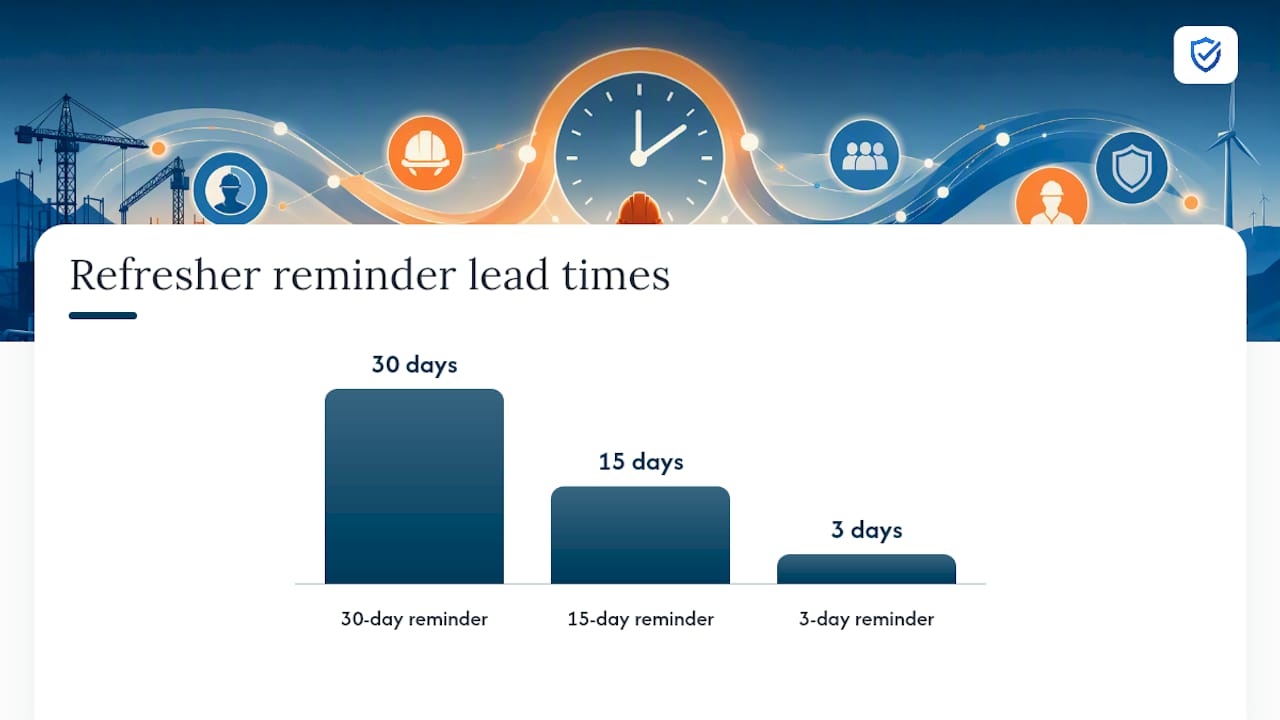
- Refresher triggers tied to expiration dates, firing reminders 30, 15, and 3 days out instead of relying on someone checking a spreadsheet
- HRIS and ERP integration, so training status follows the employee record and can flag or block a work-order assignment if a certification has lapsed
- Manager dashboards with real-time status, showing at a glance who’s current and who’s falling behind
Centralized dashboards with automatic expiration alerts let supervisors see who’s current without digging through folders, and prioritize retraining before it becomes a scheduling emergency, a pattern Yourco’s field research backs up directly. That visibility also supports capacity planning: if a dashboard shows twelve workers hitting expiration in the same week, a manager can spread make-up sessions across two shifts instead of scrambling on the deadline day. For crews already running a construction safety management system, this integration layer is usually the missing piece between good intentions and a program that actually runs itself.
What Should an Audit-Ready Records Packet Include?
An inspector isn’t looking for good intentions. They’re looking for a record tied to a specific employee, a specific topic, a specific date, and proof the trainer or platform delivered it, exactly the elements 1926.1207 spells out. Add quiz results or a practical assessment where the standard calls for competency evidence, and you’ve covered what most auditors request.
Retention is the part employers most often get wrong. A practical baseline: keep training records for the length of employment plus a reasonable buffer afterward, since some claims and inspections surface well after someone leaves. Standards vary by topic and jurisdiction, so treat that as a floor, not a universal rule.
Two habits make the packet fast to produce:
- Keep records centralized by employee, not scattered by job site, so a transfer between locations doesn’t create a data gap
- Use searchable, filterable exports so you can pull “everyone trained on confined space in the last 12 months” in minutes, not days
How Do You Roll Out a New Calendar Without Disrupting Work?
Launching a new system on every crew at once is how well-intentioned programs stall out. A staged rollout gets you real data before you commit company-wide.
- Map every role to its required topics and hazard exposure.
- Assign a cadence to each topic, from weekly toolbox talks to annual certifications.
- Choose an attendance method suited to your crews (QR, kiosk, SMS, or a mix).
- Pilot the full workflow on one crew or site for 30 to 60 days.
- Audit the pilot: check completion rate, proxy detection, and export speed before scaling company-wide.
| Cadence | Sample Topic | Responsible Role |
|---|---|---|
| Weekly | Toolbox talk (site-specific hazard) | Site supervisor |
| Quarterly | Equipment-specific refresher | Safety manager |
| Annual | OSHA 10/30 or role certification | HR / safety manager |
| As-needed | New hire orientation | Site supervisor |
Watch three numbers during the pilot: completion rate, proxy-sign-in detection rate, and the time it takes to generate a full audit packet. Those three tell you whether the toolbox talk cadence and attendance method you picked are actually working before you scale to every site.
Why Operationalizing the Calendar Changes Safety Culture
A calendar that lives in a spreadsheet is a wish list. One that’s wired into daily operations, auto-enrolling workers and flagging lapses before they become incidents, is a system people actually follow. That shift, from tracking training to operationalizing it, is where I’ve seen the real reduction in both incident rates and the administrative grind that burns out safety managers.
“Static training calendars quickly become obsolete when project timelines change. MySafetySolution dynamically aligns safety talks and training topics with your crew's actual work schedules and emerging hazards.”
— Matthew Hoffman, President - MySafetySolution
Put the Calendar on Autopilot With My Safety Solution
My Safety Solution replaces the manual chase, chasing signatures, chasing spreadsheets, chasing expired certifications, with a system that runs the calendar for you. Role-based auto-enrollment assigns the right training the moment someone joins a crew or changes sites, mobile-enabled attendance capture works from a job trailer with no signal, and every session exports as a timestamped, audit-ready record.

The platform’s AI-powered topic generation pulls from an NLTAPA-aligned content library, so toolbox talks stay relevant to the actual hazards your crews face instead of generic filler. For teams running mixed classroom and field training, that combination means fewer gaps between what got scheduled and what got proven. If your crews operate in construction, manufacturing, utilities, or trucking and transportation, see how the setup fits your operation on the My Safety Solution product page and start a trial this week.
Sources
- 1926.1207 Training. | Occupational Safety and Health Administration
- Track Safety Training for Audits: 2026 Complete Guide | Yourco