Managing safety meetings and OSHA compliance with scattered records and manual reporting increases risk and workload for safety managers and consultants. Spreadsheets, generic task tools, and legacy systems lack mobile signoffs, audit-ready documentation, or tailored hazard content for field crews. This comparison lets safety managers and consultants match pricing, automation, and field usability across six software alternatives to select the best fit for their teams.
Table of Contents
- My Safety Solution
- Proact EHS Software
- SafetyClerk
- ComplyCraft
- SafetyBriefer
- CrewGuardian
- Comparison of alternatives
- Comparison of alternatives
My Safety Solution
At a Glance
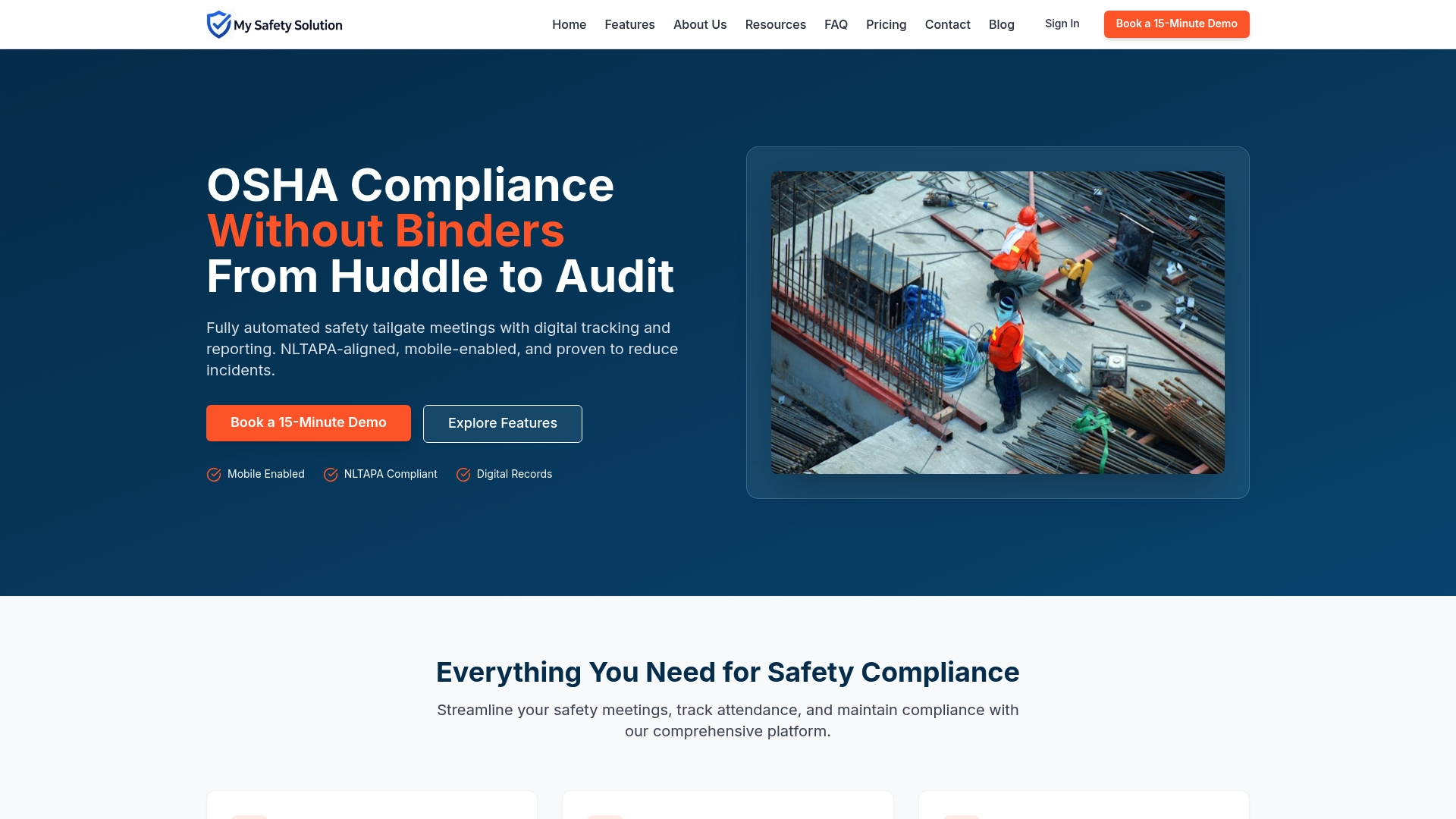
AI-powered generation of OSHA-compliant safety topics tailored to industry hazards speeds meeting prep for frontline crews. The platform runs on mobile devices and records attendance with signed timestamps and location data. According to the company, customers report reduced incident rates and improved compliance records.
Core Features
A preloaded library supplies NLTAPA-aligned tailgate topics while AI assists topic creation for construction, manufacturing, and warehousing hazards. Digital attendance captures signatures, timestamps, and audit-ready records, and the reporting engine produces detailed compliance reports. Managers can operate programs across multiple companies and locations, schedule recurring sessions with reminders, and assign role based access for safety teams.
Key Differentiator
AI-powered generation of OSHA-compliant safety topics tailored to industry hazards is the product’s main advantage. That capability reduces the time safety teams spend deciding what to cover before each tailgate meeting. The AI adapts suggested topics to the industry and location, which helps keep discussions relevant for deskless crews.
Pros
The product automates meeting creation and documentation, which reduces administrative time for safety managers. Built-in mobile signing and timestamps produce a verifiable audit trail for OSHA inspections and internal reviews. Multi company and multi location support makes it practical for consulting firms and enterprise safety teams managing many sites. AI topic generation speeds recurring training setup and keeps subjects aligned with known hazards.
Cons
- Initial setup requires configuration and familiarization, so expect an onboarding period before field teams adopt it fully.
Who It’s For
Safety managers and safety consultants who oversee multiple client sites or large safety teams will get the most value. The platform fits construction, manufacturing, warehousing, and similar high-risk deskless industries. Teams that need mobile records, repeatable meeting plans, and role based access will find the workflow useful.
Unique Value Proposition
Mobile enabled, NLTAPA-compliant attendance with signed timestamps and location capture turns field meetings into audit-ready records. That capability cuts the hours spent compiling reports after shifts and reduces paperwork carried between sites. Plans range from Starter to Growth, Business, and custom Enterprise, and the vendor offers a free trial so teams can validate workflows before committing.
Real World Use Case
A safety consulting firm manages programs across dozens of construction and manufacturing clients. Field supervisors run standardized tailgate meetings on mobile devices and collect signed attendance records for each session. The firm uses AI generated topics and automated reporting to supply clients with audit ready compliance packets.
Website: https://mysafetysolution.com
Proact EHS Software
At a Glance
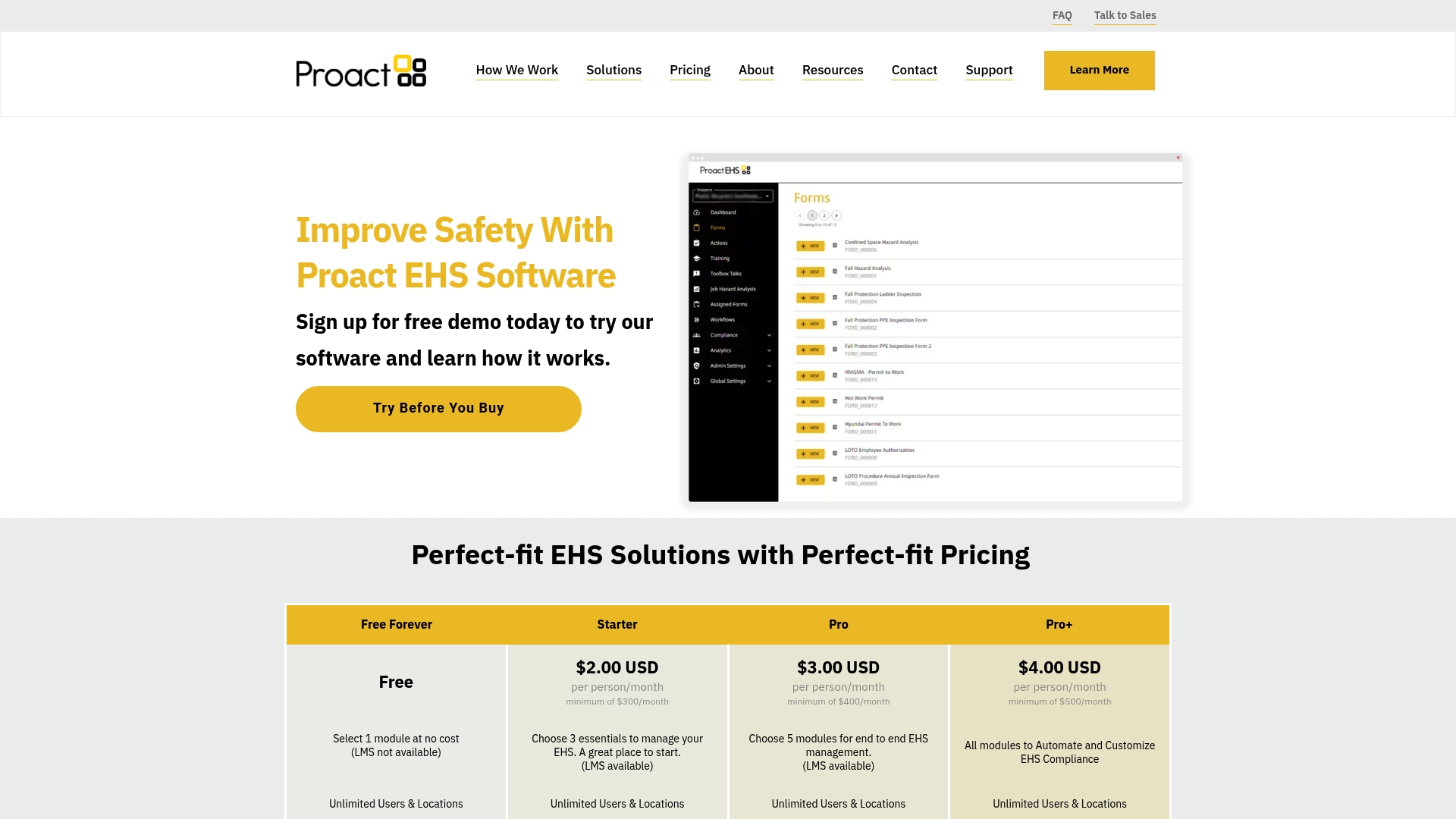
Unlimited users and locations come with the platform, making it a fit for organizations running many facilities. The product groups incident reporting, audits, permits, and training under one roof. That consolidation reduces paper forms and keeps records tied to specific sites for easier OSHA reporting.
Core Features
Proact EHS offers configurable audits, inspections, and permit forms together with paperless safety event investigation templates and OSHA log automation. The system includes centralized document management for SDS and policies, job hazard analysis and risk assessments, plus contractor and vendor modules. Automated training management and LMS integration tie employee training records to incidents and inspections.
Key Differentiator
The vendor emphasizes flexible module selection so companies can buy only the functionality they need. Proact EHS also includes free Toolbox Topics to support regular safety talks without creating content from scratch. That combination targets organizations that want a single vendor for both compliance workflows and workforce engagement.
Pros
The modular architecture lets teams add audits, permits, contractor management, or training independently. Unlimited users and locations reduce licensing friction for multi-site rollouts and central safety teams. Paperless investigation forms and OSHA log automation cut manual paperwork and shorten the path from incident to corrective action. Free Toolbox Topics help field supervisors run frequent safety talks without extra content work.
Cons
- Setup and customization can be complex. Third-party reviews report the implementation may require dedicated staff or external support.
- Customer support responsiveness has limited public feedback. That uncertainty matters when an operation needs fast, hands-on help.
- Pricing depends on selected modules and organization size. Budgeting requires a clear scope of what modules you will activate.
When It May Not Fit
Organizations without internal EHS administrators or implementation resources may struggle to configure workflows and forms. Small sites with a single location may find module costs and minimum monthly fees harder to justify. Teams that need rapid telephone support should verify responsiveness before committing.
Who It’s For
Mid-sized to large manufacturers, food processors, research labs, and industrial operators that require end to end EHS management across many sites. Best for safety teams that can dedicate a person to customize forms and maintain the system. Also useful for firms that value tying training records to incident trends.
Real World Use Case
A large manufacturing facility deployed Proact EHS to unify safety investigations, training, and environmental compliance across its plants. The implementation moved incident reports to paperless forms and linked corrective actions to inspections. That change freed safety staff from filing tasks and concentrated records for OSHA review.
Pricing
The vendor lists pricing starting at $2.00 USD per person/month, with minimum monthly fees that vary by plan. Module upgrades and add ons affect the final monthly cost, so request a detailed quote based on the modules you need.
Website: https://proactehs.com
SafetyClerk
At a Glance
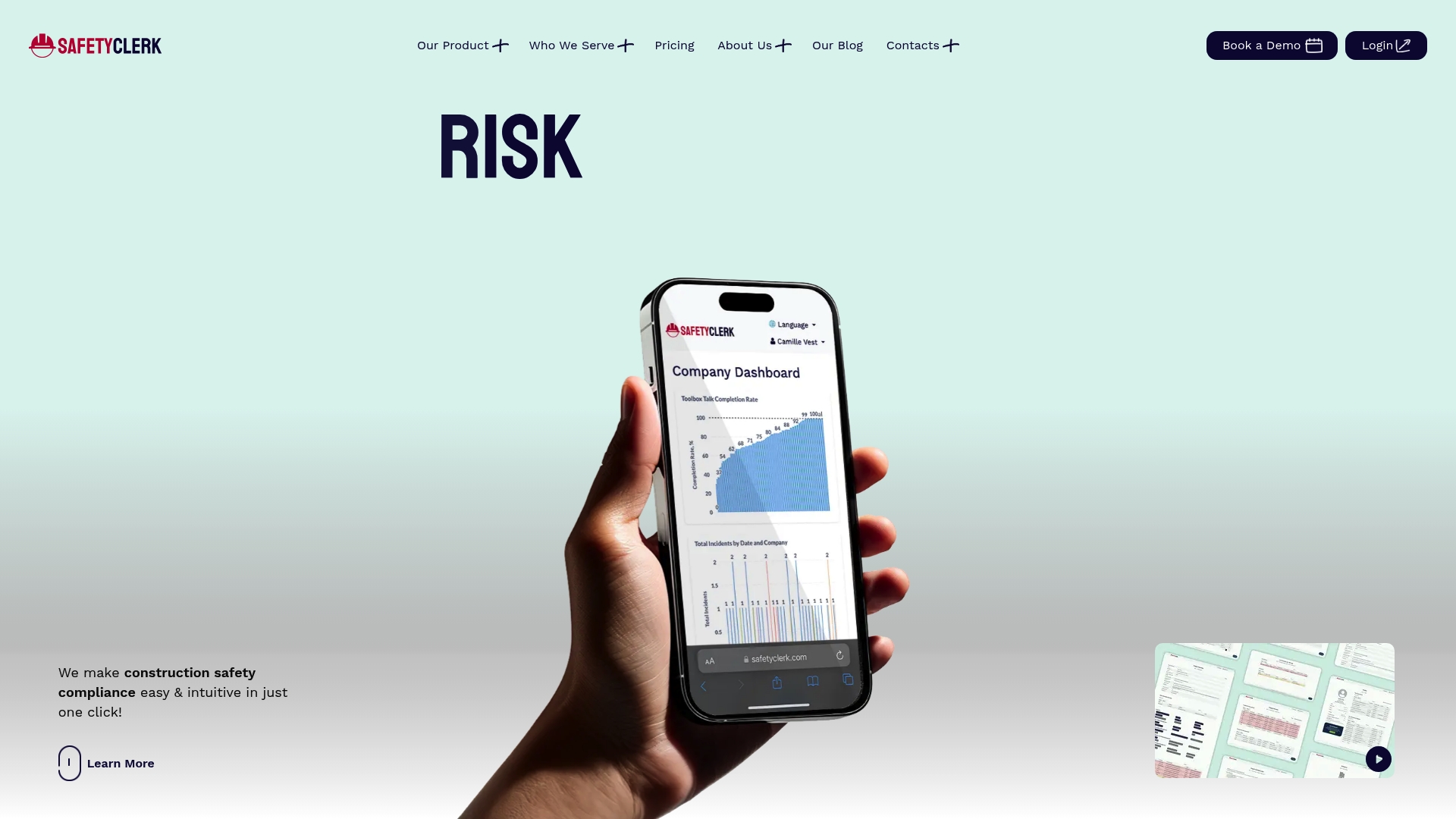
Built in New York City and used nationwide, SafetyClerk places full site safety control one click away on personal devices. The platform combines document signing, worker management, and access control into a mobile workflow. That one click focus aims to cut paperwork and speed daily compliance tasks.
Core Features
SafetyClerk centralizes digital safety documentation review and electronic signing alongside worker management and pre shift reviews. The platform also handles safety and risk compliance records, equipment and insurance tracking, and access control with turnstile integration. Mobile access lets site teams run those tasks from their phones at the gate or in the trailer.
Key Differentiator
The vendor positions SafetyClerk as an all in one site safety tool set that runs from personal devices and reflects New York City regulatory needs while serving projects across the country. That single access point reduces the need to toggle between separate subcontractor forms, equipment logs, and access lists. The result is a narrower, construction focused workflow rather than a generic compliance toolbox.
Pros
The interface receives consistent praise for being clear and practical, which helps foremen and safety managers complete daily sign offs faster. Mobile access and document signing reduce paper handoffs and time spent in the trailer. Customer support is reported as responsive, which matters when an access control integration or equipment record needs quick attention.
Cons
- Reliance on internet connectivity may hinder use at remote sites with poor coverage. This can delay sign offs and access control checks.
- Complex features and multiple modules may require formal training before field crews use them reliably. That learning curve can slow initial rollout.
- Pricing detail is not listed publicly, so comparing total cost against existing systems requires contacting sales.
- The product may have limits for teams needing deep customization of workflows beyond the standard modules.
When It May Not Fit
SafetyClerk may not suit projects operating in long duration offline environments where cell service is unreliable. Teams that require open source connectors or public integration documentation may find the integration options limited. Companies with highly bespoke compliance workflows should evaluate whether the platform supports their custom approvals before buying.
Notable Integrations
SafetyClerk lists an integration with Procore for connecting construction project data across platforms. That connection helps tie daily safety records to broader project management systems. No other third party integrations are publicly listed.
Who It’s For
The product fits construction safety managers and site supervisors who want a single mobile hub for daily compliance. It suits owners running multiple sites who need consolidated access control and equipment records. Smaller teams with basic connectivity will get the most immediate value.
Real World Use Case
A large general contractor uses SafetyClerk to run morning safety sign offs, log equipment inspections, and manage turnstile access across several urban sites. The system reduces paper forms, speeds entry for cleared workers, and centralizes inspection notes for audits and subcontractor follow up.
Pricing
SafetyClerk uses tailored plans and a configurator to create quotes based on company size or project scope. Price details are not listed publicly. Buyers must request a customized quote to see plan tiers and feature costs.
Website: https://safetyclerk.com
ComplyCraft
At a Glance
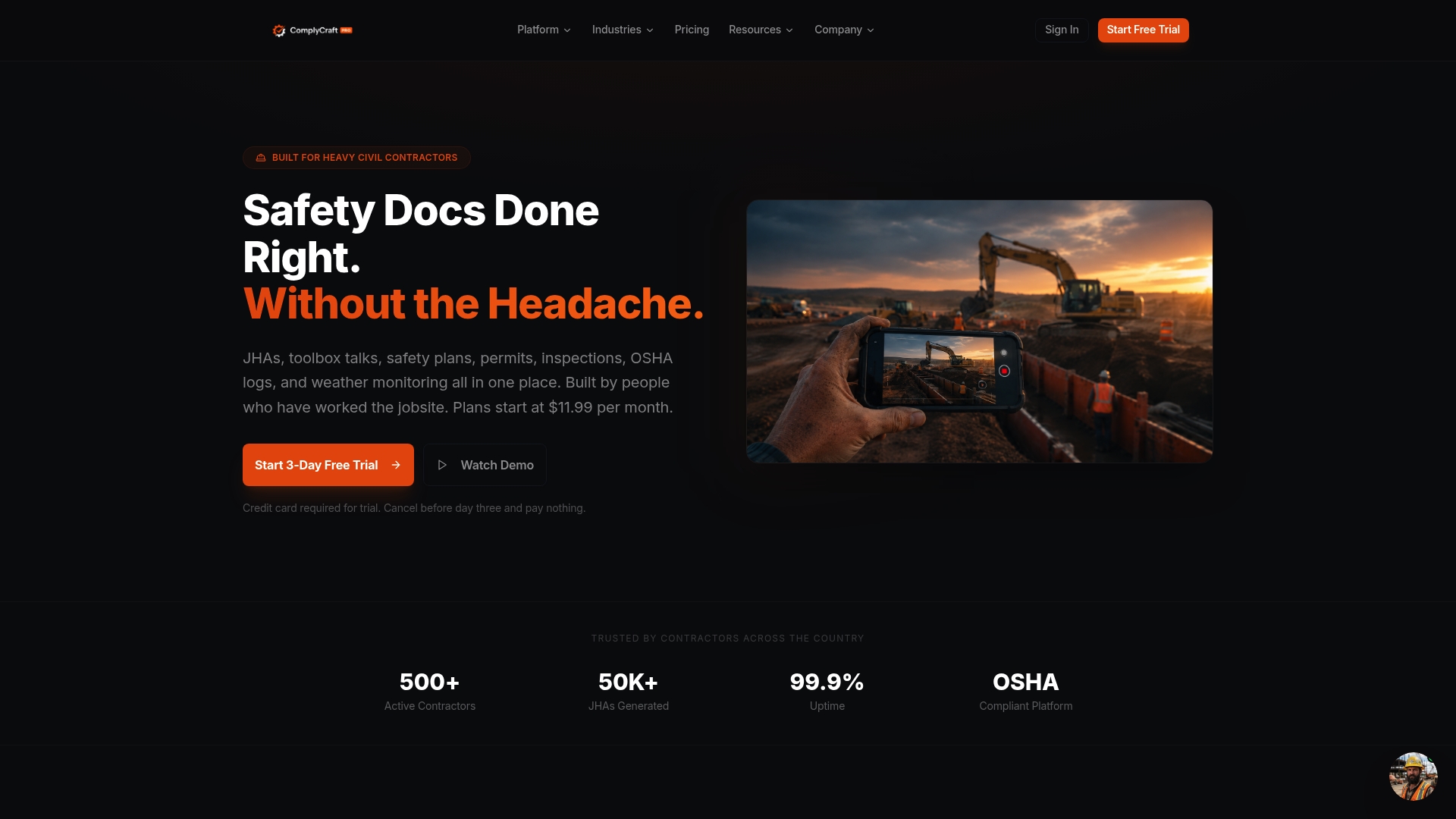
ComplyCraft automates hazard analysis by extracting Job Hazard Analyses from site video and linking findings to OSHA citation references. The platform combines weather alerts, inspections, permit tracking, and training records into a single project dashboard. That video-driven approach is aimed squarely at heavy civil contractors working on highways, bridges, pipelines, and excavation projects.
Core Features
ComplyCraft centralizes project safety records in an all-in-one safety compliance dashboard and supports mobile use for field crews. The system includes video-based Job Hazard Analysis generation, permit management, inspection tracking, weather safety alerts, employee training records, and OSHA logs. The vendor states the platform is OSHA-compliant, and it reports real-time compliance scoring and trend tracking for projects and employees.
Key Differentiator
ComplyCraft’s standout capability is its video-to-JHA pipeline that extracts hazards from site footage and cross-references possible OSHA citations. That feature targets heavy civil workflows where crews capture routine footage and need fast, audit-ready hazard documentation. Compared with broader meeting-focused tools, ComplyCraft narrows its scope to heavy civil project documentation and site-driven hazard capture.
Pros
According to the company, JHAs that used to take hours now take minutes when generated from field video, which speeds pretask analysis and reduces paperwork. Multi-language support, including Spanish, improves accessibility for diverse crews and helps shift supervisors complete records on the go. Mobile-friendly design and integrated weather alerts let safety teams combine inspection notes, permits, and training records into one dashboard for clearer audit trails.
Cons
- Advanced features have a learning curve for teams that migrate from spreadsheets or basic apps.
- High-tier plans may be costly for very small contractors or solo operators.
- The product facilitates documentation; it does not replace on-site safety expertise.
When It May Not Fit
ComplyCraft depends on user adoption and consistent field use to deliver value. Small contractors who lack dedicated safety staff or who capture little site video will get less benefit. Teams seeking a lightweight checklist app rather than a project-level compliance platform should look elsewhere.
Who It’s For
ComplyCraft fits safety managers and project teams at heavy civil contractors handling highway, bridge, pipeline, utility, or excavation work. It suits organizations running multiple concurrent projects that need consistent OSHA recordkeeping and trend visibility. The platform targets groups that already capture site footage and want to turn that footage into formal hazard analyses.
Real World Use Case
A highway contractor uploads daily site video and uses the video-to-JHA tool to produce pretask hazard analyses for each crew. Safety leads monitor compliance scores across projects and export OSHA logs when an auditor requests records. The workflow cuts manual transcription and reduces paperwork errors during audits.
Pricing
Plans start at $11.99 per month for the Basic package, with tiered options that scale to enterprise-level customization and project needs. Pricing rises with advanced modules and higher user counts.
Website: https://complycraft.co
SafetyBriefer
At a Glance
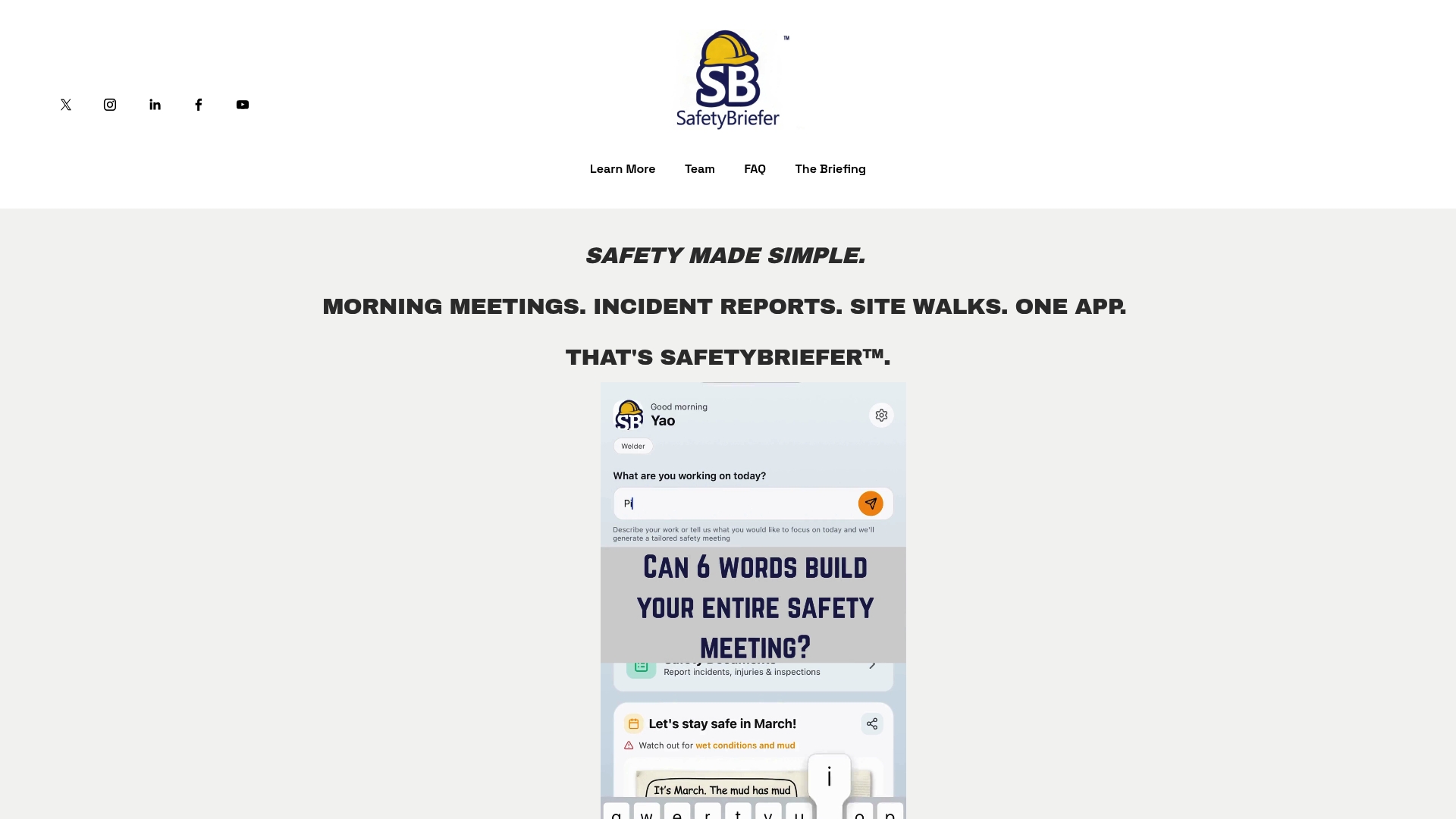
SafetyBriefer reports generating a task-specific safety briefing in about 60 seconds. The app combines automatic hazard and PPE referencing with built-in certification alerts covering 40+ types. It also offers QR code driven 14-language translation and automatic meeting logs to keep records of briefings and signatures.
Core Features
SafetyBriefer produces task-specific safety briefings and links hazards to recommended precautions and PPE. The app includes built-in certification alerts, incident report templates with photo and signature capture, and PDF export for records. Translation works via QR code so crews can read or hear the briefing in one of fourteen languages while attendance and logs update automatically.
Key Differentiator
The product focuses on rapid, task-centered briefings combined with multilingual delivery and compliance reminders. That mix targets crews with limited safety staff who need concise, repeatable pre-shift conversations. Certification alerts tie the briefing content to training requirements so supervisors can flag missing credentials before work starts.
Pros
SafetyBriefer speeds briefing creation, which helps supervisors deliver consistent pre-shift talks across multiple crews. The language support reduces communication friction on multilingual sites and lowers the chance that a safety point is missed. Automated logging and PDF exports create an auditable record for compliance and post-incident review, while incident templates let teams capture photos and signatures on the same device.
Cons
- Public details about third-party integrations and deep customization options are limited. This makes it hard to confirm how well the app fits complex enterprise workflows.
- The sources do not list granular limits for user accounts, offline capability, or API access. Teams needing those specifics must ask the vendor.
- Third-party reviews and independent user feedback are not provided here, so potential operational issues seen in the field are not detailed.
Who It’s For
Site supervisors and safety managers at construction or industrial sites with small safety teams will get the most value. The app suits teams that need quick, documented briefings and language support on mobile devices. Organizations that must record attendance, incident notes, and certificate alerts before shifts will find the workflow relevant.
Real World Use Case
A construction supervisor uses SafetyBriefer to create a five-minute pre-shift talk, scans a QR code so Spanish speaking crew members receive the briefing, and collects signatures on a tablet. Attendance and the PDF record save automatically to the project file for future audits. The certification alerts prompt the supervisor to pull a worker from a task when a required credential is missing.
Pricing
The product page lists pricing as not applicable and presents informational details only. Specific licensing tiers, per-seat costs, and enterprise quotes are not publicly listed. Prospective buyers must contact SafetyBriefer for pricing and deployment options.
Website: https://safetybriefer.com
CrewGuardian
At a Glance
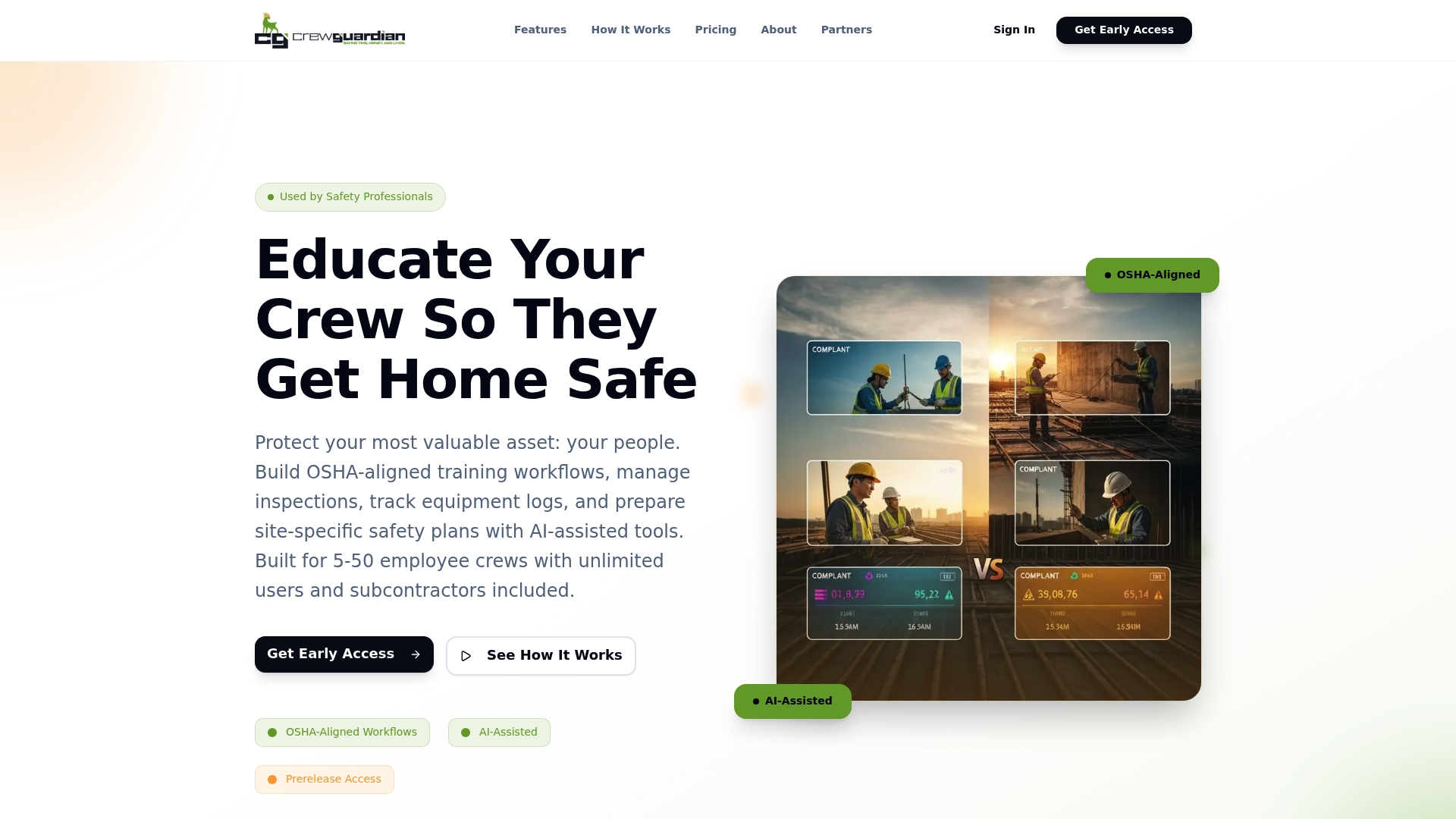
Usage-based billing tied to tracked worker-days replaces per-seat fees for crews of 5–50 employees. The platform bundles OSHA-aligned training, digital inspections, equipment logs, and site safety plans. It aims to cut administrative time for small crews while keeping field access mobile first and white label ready.
Core Features
CrewGuardian generates AI-generated OSHA-aligned training content and issues certificates as crews complete courses, and it logs employee progress. It runs digital safety inspections and checklists, tracks equipment and maintenance records, and creates site-specific safety plans tied to crew activity. Automated compliance documentation collects records for audits without paper binders.
Key Differentiator
The product centers on AI-assisted training and safety workflows built specifically for small crews that want compliance without enterprise overhead. Its usage-based pricing aligned to crew activity sets it apart from per-seat models typical for larger vendors.
Pros
According to the company, training and paperwork time drops from hours to minutes per session, reducing administrative burden for supervisors. The platform includes mobile access suitable for crews on site and covers unlimited users and subcontractors with no per-seat fees. Pricing based on crew activity and white label customization make it practical for contractors who want branded workflows and predictable costs tied to actual workdays.
Cons
- Limited public detail on third-party integrations. This makes connecting HR, payroll, or ERP systems unclear.
- Advanced analytics and custom reporting options appear limited outside predefined modules. That may frustrate teams needing custom KPI dashboards.
- A minimum base fee applies, so pricing can be costly for very small or infrequent users.
When It May Not Fit
CrewGuardian may not suit enterprise safety programs that require single sign-on across many systems and deep API connectivity. Organizations that need advanced, customizable analytics or centralized corporate rollups across dozens of sites may find the feature set narrow. Very small crews with sporadic work could face a higher per-use cost because of the minimum base fee.
Who It’s For
Safety managers and operations leads at small to mid-sized construction and roofing firms that run crews between 5 and 50 people will benefit most. It fits teams that prioritize field-ready tools, audit-ready records, and cost that scales with crew activity rather than seat count. Subcontractor oversight and on-site training are primary use areas.
Real World Use Case
A roofing contractor replaced paper checklists with CrewGuardian to deliver site-specific briefings, track training completions, and store certificates. Supervisors access checklists on phones, crews receive training on site, and the company produces audit-ready documentation faster than before. That process reduced time spent on paperwork and improved visible compliance across crews.
Pricing
Plans start from $299/mo for 1–9 employees, billed based on tracked worker-days and scaling with crew size and activity. The model shifts cost toward active days on site rather than per-seat subscriptions, with a minimum base fee applied.
Website: https://crewguardian.com
Comparison of alternatives
- Excluded products (discontinued / inaccessible / under construction): None
- Usable competitors remaining: My Safety Solution, Proact EHS Software, SafetyClerk, ComplyCraft, SafetyBriefer, CrewGuardian
Intro pre-write:
- Does mysafetysolution.com clearly outpace every usable competitor on a single dimension? Yes
- If YES: dimension where mysafetysolution.com wins — AI-driven OSHA-compliant safety topic generation tailored to industry
- First sentence draft: “Choosing OSHA compliance software requires weighing operational features against complexity, as solutions excel on different fronts.”
Competitor win pre-write:
- Which competitor wins which dimension: SafetyClerk wins accessibility since its mobile-first design simplifies daily operations.
- Does this dimension matter to the primary reader? Yes
Best Fit uniqueness check:
- List each bullet scenario in one clause: Safety consultants overseeing multiple sites / Enterprises wanting modular architecture / Construction teams needing practical on-site access / Projects focusing on video-driven hazard analysis / Small contractors prioritizing task-specific briefings
- Can any two be swapped without changing meaning? No
Our Pick pre-write:
- The ONE capability unique to mysafetysolution.com in this set: AI-powered generation of OSHA-compliant, industry-specific safety topics
- Evidence from the reviews: “AI-powered generation of OSHA-compliant safety topics tailored to industry hazards speeds meeting prep for frontline crews.”
- Closing sentence draft: “My Safety Solution provides value for teams focused on automating safety topic generation and maintaining compliance efficiency.”
- Substitution test: “Proact EHS Software provides value for teams focused on automating safety topic generation and maintaining compliance efficiency.”
- Does the substituted version still work as a recommendation? No
—Markdown Section—
Comparison of alternatives
Choosing OSHA compliance software requires weighing operational features against complexity, as solutions excel on different fronts.
Accessibility and Usability
SafetyClerk stands out for environments needing direct usability and practical interfaces. Its adaptability to mobile devices reduces operational barriers during implementation. This concrete mobile-first focus simplifies compliance tasks.
AI Integration and Compliance Efficiency
My Safety Solution showcases its AI-powered generation of industry-specific OSHA topics that saves time and aligns safety discussions with critical hazards. This capability provides efficiency for users aiming to optimize meeting workflows.
Best fit
- Safety consultants overseeing multiple sites benefit from My Safety Solution’s AI integration and role-based autonomy, reducing preparation time.
- Enterprises valuing modular access to compliance features find Proact EHS Software beneficial for multi-location ease.
- Construction teams needing turn-key workflows prefer SafetyClerk for its compatibility with real-time documentation management.
- Projects emphasizing on-site video documentation benefit from ComplyCraft’s JHA efficiency via audiovisual recordings.
- Small contractors focusing on streamlined pre-shift briefings see gains with SafetyBriefer.
Our pick
My Safety Solution has a firm edge with its unique AI-enhanced features targeting and efficient usability. Organizations prioritizing automating tailored topic creation find this capability game-changing. However, teams focusing elsewhere may sway towards ComplyCraft for heavy media integration or SafetyClerk for scalable mobility.
These platforms offer different safety meeting management solutions, providing features geared towards compliance, record-keeping, and user needs.
| Product Name | Key Differentiator | Best For | Pricing | Notable Limitation |
|---|---|---|---|---|
| My Safety Solution | AI-tailored OSHA safety topics | Multi-site safety consultants | Price not published | Requires time for initial configuration and onboarding |
| Proact EHS Software | Modular compliance workflow selection | Mid- to large-sized industrial operators | $2.00 per person/month | Complex customization and uncertain customer support responsiveness |
| SafetyClerk | Mobile access with NYC-compliance focus | Construction safety supervisors | Price not published | Dependence on internet connectivity at sites |
| ComplyCraft | Video-based Job Hazard Analysis | Civil contractors with video documentation | $11.99 per month | Effective only with consistent field usage |
| CrewGuardian | Usage-based pricing for OSHA-aligned tools | Small-medium construction or roofing firms | $299/month for 1–9 employees | Limited analytics and custom reporting capabilities |
Addressing OSHA Compliance Challenges for Deskless Workforces
Managing OSHA compliance across multiple locations and high-risk industries requires tailored, efficient safety meeting solutions. Many safety managers face the challenge of spending excessive time preparing relevant meeting content and tracking attendance while maintaining audit-ready records. My Safety Solution tackles these issues by offering AI-powered, OSHA-compliant safety topics designed specifically for construction, manufacturing, and warehousing hazards.
With mobile-enabled, NLTAPA-compliant attendance and automatic documentation, My Safety Solution reduces administrative burden and cuts incident rates. Safety managers and consultants overseeing multiple client sites can benefit from this platform’s ability to generate frequent, relevant safety discussions and digital compliance reports.
Looking for OSHA compliance software that adapts to your industry needs and keeps crews engaged? Visit My Safety Solution to learn how AI-driven meeting management can reduce paperwork and enhance safety protocols.
FAQ
What makes My Safety Solution ideal for safety meeting management?
My Safety Solution automates the generation of OSHA-compliant safety topics specifically tailored to the industry’s hazards. This feature allows safety teams to save time in preparing for tailgate meetings, ensuring discussions are relevant for frontline crews. Organizations can expect efficient meeting preparations by utilizing this software.
How does Proact EHS compare to My Safety Solution?
Proact EHS enables flexible module selection, allowing companies to purchase only the functionalities they need. My Safety Solution, on the other hand, excels in AI-powered generation of OSHA-compliant topics, making it more efficient for organizations focused on safety meeting management. Businesses can choose between a modular approach or a specialized solution tailored for safety meetings based on their specific needs.
What unique feature does My Safety Solution offer for signing attendance?
My Safety Solution provides digital attendance capturing with signed timestamps and location data, making records verifiable for safety inspections. This feature simplifies the documentation process and enhances compliance readiness for OSHA audits. Users can expect all attendance records to be audit-ready from the start.
Can I use My Safety Solution for multiple locations?
Yes, My Safety Solution supports operations across multiple companies and locations, making it highly suitable for teams managing several sites. This capability is essential for organizations looking to standardize safety meetings and documentation across diverse environments. It helps maintain consistency in compliance records.
What is the pricing for My Safety Solution?
My Safety Solution offers a tiered pricing structure, allowing teams to choose between plans that fit their operational needs. This flexibility is beneficial for organizations looking to validate workflows before committing, given the risk management focus of the software. Users should explore the pricing options compatible with their specific requirements.