
The fastest way to run a defensible safety meeting is to use an editable toolbox talk template for daily briefings and a meeting minutes template for formal committee sessions, each built around five fields: date, time, and location; the topic; hazards identified; controls assigned; and a signed attendance register completed on the spot. Downloadable versions in Word, PDF, Google, and Excel formats cover most of what a site needs to start today.
TL;DR:
- Safety templates should include core fields like logistical details, hazards, controls, and signatures to ensure compliance and accuracy during investigations.
- Using digital tools or mobile platforms with automatic timestamps and signatures reduces liability and improves record reliability across sites.
- Meeting frequency and topics must be based on risk levels, with daily talks for high-risk environments and seasonally relevant hazards for lower-risk operations.
- Customizing hazard categories while keeping core fields consistent helps different trades focus on relevant risks without overhauling documentation.
- Proper collection, retention, and regular use of signed records are critical for legal defensibility and regulatory compliance during audits or incidents.
Table of Contents
- What Safety Meeting Templates Should You Download First?
- Canonical Fields Every Safety Meeting Template Must Include
- How Do You Actually Use a Safety Meeting Template on Site?
- Which File Format Actually Fits Your Site?
- What Attendance and Signature Practices Do Auditors Expect?
- How Often Should You Run Safety Meetings, and on What Topics?
- Customizing Safety Meeting Templates for Your Industry
- Common Pitfalls to Avoid When Using Safety Meeting Templates
- Legal and Regulatory Considerations for Safety Meeting Records
- Why Automation Changes What a Template Can Actually Do
- Put a Template to Work This Week
- Sources
What Safety Meeting Templates Should You Download First?
Not every safety conversation needs the same paperwork. A five-minute pre-start talk and a monthly safety committee meeting serve different purposes, and forcing one template to do both jobs usually produces records that satisfy nobody.
Three template types cover almost every scenario a safety manager runs into:
- Toolbox talk template: a short, focused briefing, typically 5 to 15 minutes, aimed at one hazard tied to the day’s actual work.
- Safety meeting minutes template: formal documentation for committee meetings, capturing discussion, decisions, and follow-up in a format suited for long-term compliance records.
- Sign-in sheet: a bare-bones attendance form for moments when you only need to prove who showed up, not what was discussed.
For file formats, Word and PDF work fine for sites with stable crews and low turnover. Google Sheets or Excel make sense when several supervisors need to update the same register in real time. If your workforce moves between job sites daily, a mobile-enabled platform removes the printing and filing step entirely, since forms travel with the crew instead of the clipboard.
Canonical Fields Every Safety Meeting Template Must Include
An editable template only earns its “audit-ready” label if it captures the same core information every time, regardless of who runs the meeting or what site it happens on. Skip a field, and you create a gap an inspector or insurance auditor will find eventually.
Five elements belong in every version of the form:
- Logistical header. Company name, project or site name, date, start and end time, and physical location. This sounds obvious until an OSHA request for records arrives and half your forms are missing the site name.
- Meeting topic and scope. A one-line description of what was covered, specific enough that someone reading it six months later understands the subject without guessing.
- Hazard identification. The specific risk being addressed, tied to the actual task the crew is performing that day or week.
- Controls and corrective actions. What was done or will be done to manage the hazard, along with a named owner and a due date. A hazard without an assigned control is a note, not a record.
- Attendance register. Printed names and live signatures, plus a supervisor sign-off confirming the meeting happened as documented.
Templates missing any of these fields tend to fail the moment they matter most, during an incident investigation or a compliance review, when reconstructing “who knew what and when” becomes the entire point of the exercise.
Pro Tip: Build your action-item column wide enough for a real deadline, not just a checkbox. “Fix guardrail” with no due date and no owner is functionally the same as no action item at all.
How Do You Actually Use a Safety Meeting Template on Site?
A template sitting in a shared drive protects nobody. The value comes from a repeatable routine that turns the form into evidence, not just a document.
- Prepare before the shift starts. Pick the topic based on the day’s actual work, not a generic rotation, and have the template ready before the crew gathers.
- Run a short, interactive talk. Keep it to 5 to 15 minutes and ask questions rather than reading a script. Brief, focused sessions hold attention far better than long lectures, a pattern Harvard Health’s research on concentration backs up directly.
- Collect signatures during the meeting. Not after lunch, not the next day. Photograph the completed form on your phone as a backup if your process allows it.
- File within 48 hours. Enter any action items into your corrective-action tracking system and distribute finalized meeting minutes promptly so nothing sits unresolved in a drawer.
Meetings that solicit crew observations instead of lecturing at workers tend to surface near-miss information that a one-way briefing never would. That single shift, from telling to asking, often does more for behavior change than any script improvement.
Which File Format Actually Fits Your Site?
Choosing a format is less about preference and more about how often your crew, sites, and hazards change. A stable five-person shop and a rotating multi-site contractor have different needs.
- Word or PDF: simple to print, sign, and file. Works well for low-change sites where the same handful of topics repeat.
- Google Sheets or Excel: live editing and a shared register across supervisors, useful when multiple people log meetings for the same project.
- Digital apps: automatic timestamps and photo attachments that build the audit trail without extra data entry, plus action-item workflows that don’t rely on someone remembering to update a spreadsheet.
Whatever format you pick, keep a running topic register. Without one, supervisors repeat the same three topics for months while whole categories of risk, like confined space entry or seasonal cold stress, never get addressed. A free downloadable outline is a reasonable starting point before you decide whether to move to something more automated.
What Attendance and Signature Practices Do Auditors Expect?
Signatures are the single most scrutinized element of any safety meeting record, and they’re also where most programs quietly fall apart.
Require individual signatures collected during the meeting itself, never backfilled the next day from memory. A supervisor who signs a stack of forms retroactively has created a liability, not a record. Treat the sign-in sheet with the same rigor your payroll department applies to time cards, because in a legal proceeding, that’s effectively how it will be read.
Retention matters as much as collection. Keep completed forms for the period your industry and jurisdiction require, and link every corrective action back to the specific meeting where it was raised, so a reviewer can trace a hazard from identification to resolution without hunting through unrelated files.
Pro Tip: If a name appears on the sign-in sheet but the handwriting looks identical to five other names, an auditor will notice before you do. Requiring signatures at the time of the meeting is a common expectation among auditors specifically because backfilled entries are so easy to spot.
Mobile sign-in with automatic timestamps is increasingly the standard tier-one clients and auditors expect from contractors on high-risk sites, largely because paper sign-ins are so easy to game after the fact.
How Often Should You Run Safety Meetings, and on What Topics?
Frequency depends on risk level, not habit. Daily toolbox talks fit high-risk environments like structural construction or confined-space work, while lower-risk operations, such as a stable warehouse floor, often get sufficient coverage from weekly or monthly sessions.
Pull topics from sources that reflect actual conditions:
- Recent incidents or near misses on your own site
- Seasonal risks, like heat stress in summer or slip hazards in icy months
- Upcoming high-risk tasks scheduled for the coming week
- Industry injury data, since BLS fatality and injury figures can help you prioritize which hazards deserve repeat attention
A rotating topic register prevents the common failure mode where the same three subjects get covered every month while entire hazard categories go untouched for a year.
Customizing Safety Meeting Templates for Your Industry
A generic template gets you started, but the fields that matter most shift depending on what your crew actually does. Construction sites need hazard fields built around fall protection, excavation, and equipment lockout, since those categories drive a disproportionate share of serious incidents. Manufacturing floors lean toward machine guarding, lockout/tagout, and chemical exposure, often with a dedicated field for equipment ID so a corrective action ties to a specific machine rather than a general area.
Transportation and trucking operations benefit from a template section on vehicle inspection and route hazards. A fleet visibility checklist makes a solid recurring topic for crews working near moving equipment or low-light conditions. Warehousing and logistics templates should emphasize forklift traffic patterns and material handling, since those hazards look nothing like what a framing crew faces.
The customization principle that holds across every industry: keep the five canonical fields (logistics, topic, hazards, controls, attendance) fixed, and swap only the hazard categories and control language to match your actual exposures. Don’t rebuild the whole form for every trade. A landscaping crew and a utility line crew can use structurally identical templates with entirely different hazard checklists layered on top.
If your company runs several trades or multiple project types, a single static template forces awkward compromises. That’s usually the point where a platform offering AI-generated topic suggestions tailored to your industry starts saving more time than it costs to set up.
Common Pitfalls to Avoid When Using Safety Meeting Templates
Most template failures aren’t about the form itself. They’re about how it gets used, or ignored, in practice.
The most frequent mistake is treating the template as a formality rather than a working document. A supervisor who fills in the same topic every week, word for word, isn’t running a safety meeting; they’re generating paperwork. Auditors and OSHA inspectors notice repetitive, vague topic descriptions immediately, and they tend to dig deeper when they see them.
Backfilling signatures is the second major pitfall, already covered above, but it deserves repeating because it’s so common: a form signed after the fact is weaker evidence than no form at all, since it suggests the process itself isn’t trustworthy.
A third pitfall is leaving action items without owners or due dates. “Discussed ladder safety” tells an investigator nothing about what changed afterward. Without a named person and a deadline, corrective actions rarely get closed out, and the paper trail dead-ends exactly where it matters most.
Finally, watch for template drift, where different supervisors use slightly different versions of the same form over time. One version might drop the hazard field, another might skip the supervisor sign-off. Standardize on a single master template and control who can edit it, or the whole point of consistent documentation collapses.
Legal and Regulatory Considerations for Safety Meeting Records
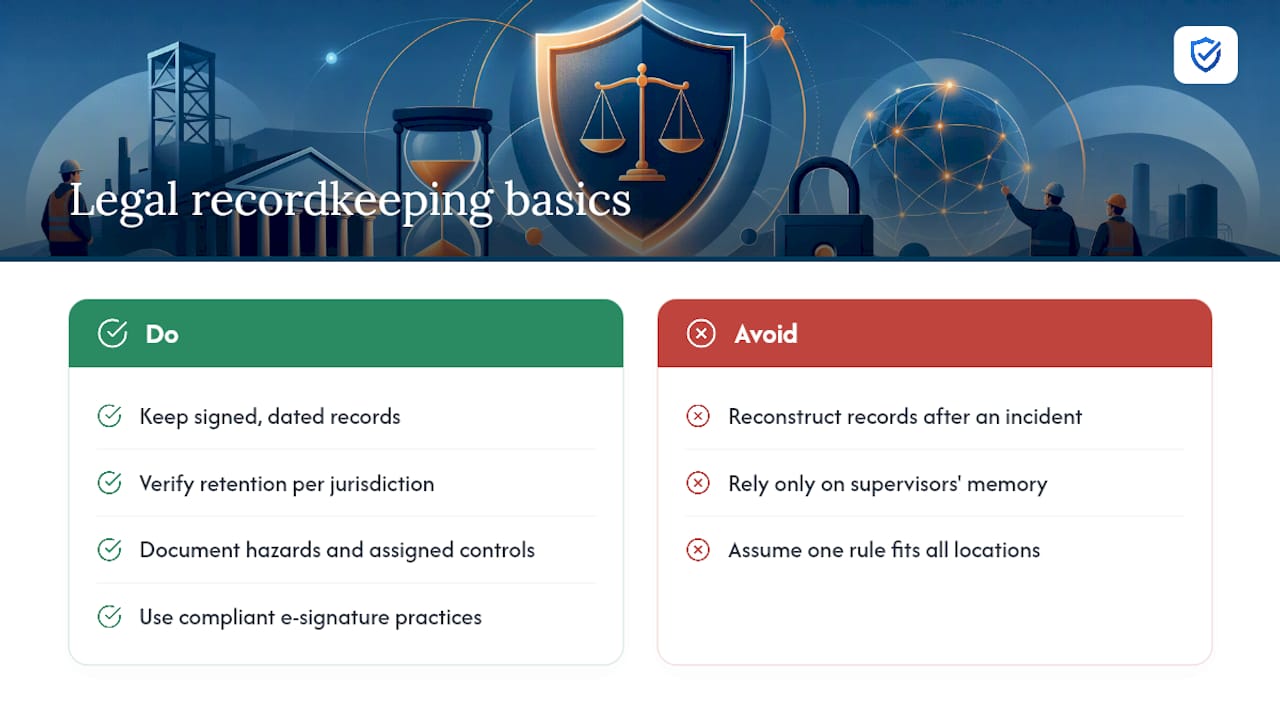
Safety meeting documentation exists partly for your crew’s benefit and partly as evidence should a regulator or plaintiff’s attorney ever ask what your company knew and when. OSHA doesn’t mandate a specific meeting template format, but it does expect employers to demonstrate that hazard communication and training actually occurred, and a signed, dated record is the primary way most companies prove that.
Recordkeeping requirements vary by industry and jurisdiction, so check the retention period that applies to your specific sector rather than assuming a blanket rule. Construction employers generally need to retain safety training and meeting records for longer periods than many general industry employers, and multistate operations should confirm requirements don’t differ by location.
Where documentation becomes legally significant is in litigation and workers’ compensation claims. An employer who can produce a dated, signed record showing a specific hazard was discussed and a control was assigned is in a materially different position than one whose only evidence is a supervisor’s memory. Electronic signatures carry their own compliance considerations depending on your industry; a compliance guide on electronic signatures in manufacturing covers the basics if you’re weighing a move away from paper.
None of this replaces legal counsel familiar with your specific jurisdiction and industry, but the underlying principle is consistent: documentation that’s complete, timely, and signed at the time of the meeting holds up. Documentation reconstructed after an incident rarely does.
Why Automation Changes What a Template Can Actually Do
Static templates solve the documentation problem but not the relevance problem. A generic hazard list doesn’t know that your crew just had a near miss with a forklift, or that a heat advisory kicked in this morning. AI-generated topic suggestions close that gap by tailoring content to conditions on the ground rather than whatever was last saved in a shared folder.
Mobile sign-in with automatic timestamping solves a different problem: the backfilling and handwriting-guesswork issue that undermines so many paper registers. When attendance and timing capture themselves at the moment of the meeting, the audit trail exists without anyone having to remember to build it.
The shift from static forms to automated capture isn’t about replacing good safety practice. It’s about removing the administrative friction that keeps good practice from happening consistently, week after week, across every crew and every site.
“A template only works if field foremen can complete it quickly on site. MySafetySolution delivers mobile-friendly meeting templates that automate recordkeeping, hazard tagging, and sign-ins right at the job site.”
— Matthew Hoffman, President - MySafetySolution
Put a Template to Work This Week
Every safety meeting template in this guide, toolbox talk, minutes, or sign-in sheet, does its job only if someone actually fills it in, collects real signatures, and files it before the details fade. That’s the part paper consistently fails at, especially across multiple sites or shifts.
My Safety Solution was built for exactly that gap. The platform generates AI-tailored safety topics relevant to your industry, captures mobile sign-ins with automatic timestamps, and files completed records the moment a meeting wraps, so nothing sits in a truck cab waiting to be entered later. If your team is still manually managing toolbox talks and minutes across construction, manufacturing, or warehousing sites, see what My Safety Solution actually does before your next OSHA request lands on your desk.
Sources
- Toolbox Talk Template for Word (ProjectManager)
- Free Safety Meeting Minutes Template | PDF (MapTrack)
- CFOI fatal occupational injuries report (BLS)